A good profile picture should be clear, well-centered and easy to recognize even when it appears at a small size. With the free Profile Picture Maker on EKO24.NET, you can prepare a profile photo directly in your browser without installing software.
Create Your Profile Picture
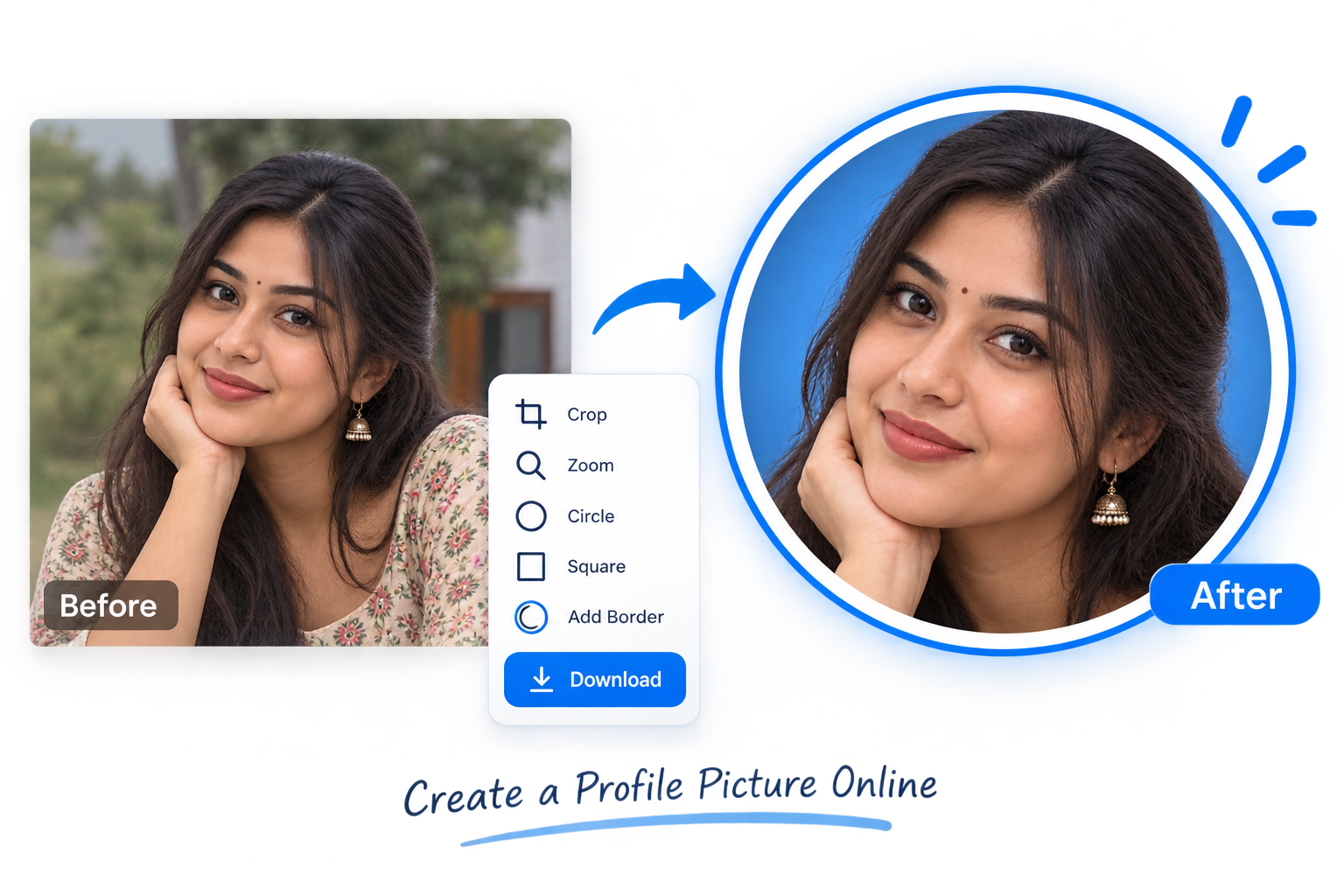
Upload a JPG, PNG or WebP image and adjust it inside the preview. You can move the photo, zoom in on the subject and choose between a circular or square profile picture.
- Open the Profile Picture Maker.
- Choose a JPG, PNG or WebP photo.
- Drag the image to position your face or subject.
- Use the zoom control to improve the framing.
- Choose a circle or square style.
- Add a border if you want one.
- Download the finished profile picture.
Circle or Square Profile Picture?
Many social platforms display profile photos inside a circle, while websites and other online accounts may use square images. Keeping the important part of your photo near the center helps it work well in both formats.
Make Your Profile Photo Look Better
Choose a clear photo with good lighting and avoid placing your face too close to the edges. A simple background can also make the subject easier to see when the image is displayed as a small avatar.
If the original photo has an unwanted background, you can first use the Background Remover. You can also use the Image Cropper when you need more control over the composition.
Private Browser Processing
The Profile Picture Maker processes your image directly in your browser. Your photo does not need to be uploaded to EKO24.NET, making the tool quick and convenient for preparing profile images.
Create Your Profile Picture
Ready to try it? Open the Profile Picture Maker, upload your photo and create a clean profile image in a few simple steps.
Check the crop before you share
Profile pictures are often displayed much smaller than the file you upload. After downloading, preview the image at roughly 48 by 48 pixels: your face or main subject should still be recognizable. Keep eyes and other important details away from the outer edge because some platforms automatically crop square uploads into circles.
For a circular avatar, imagine a circle inside the square canvas: the four corners may not be visible on the final profile. Leave a little space above the head and around the shoulders instead of filling every pixel with the subject.
Common profile picture problems
- Blurry result: Start with a higher-resolution original. Enlarging a small photo cannot restore missing detail.
- Face cut off: Zoom out and recenter the subject before exporting.
- Background distraction: Choose a simpler original or use the background-removal tool first.
- Unexpected crop: Test the downloaded image in the target account before deleting the original.
Privacy note: The article describes browser processing, but this claim should be confirmed against the live tool's code and network behavior before relying on it for sensitive photos. Avoid uploading identity documents or private portraits to any service unless you understand its data handling.