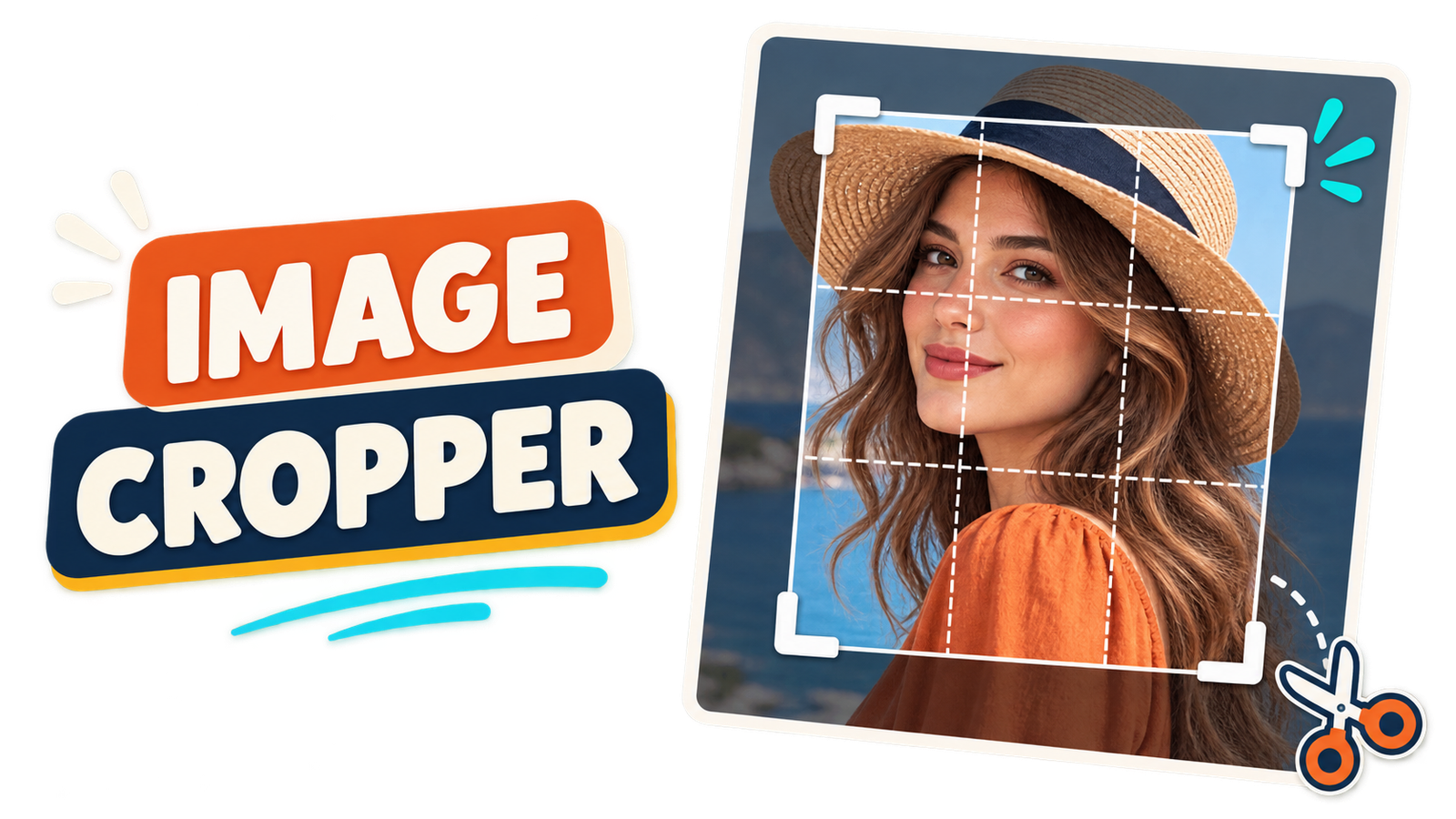
Cropping removes unwanted areas from the edges of an image and keeps only the part you need. It can improve composition, focus attention on the main subject and prepare a picture for a website, profile, thumbnail or social media post.
The EKO24.NET Image Cropper lets you crop JPG, PNG and WebP images directly in your browser. You can create and move the crop frame, choose a common aspect ratio and preview the result before downloading it. Your image stays on your device.
What Does Cropping an Image Mean?
Cropping changes the visible boundaries of a picture. The pixels outside the selected frame are removed, while the selected area becomes the final image. Unlike resizing, cropping does not squeeze the entire picture into new dimensions. It changes the composition by removing part of the original.
A good crop can remove empty space, distractions or objects near the edges. It can also move the viewer’s attention toward a face, product or important detail.
How to Crop an Image Online
- Open the free Image Cropper.
- Choose a JPG, PNG or WebP image up to 20 MB.
- Select Free crop or an aspect ratio such as 1:1, 16:9, 9:16, 4:5 or 3:2.
- Drag outside the frame to create a new selection.
- Drag inside the selection to move it over the subject.
- Use the corner handle to adjust its size.
- Choose JPG or PNG, click Crop Image and preview the result.
- Download the cropped image to your device.
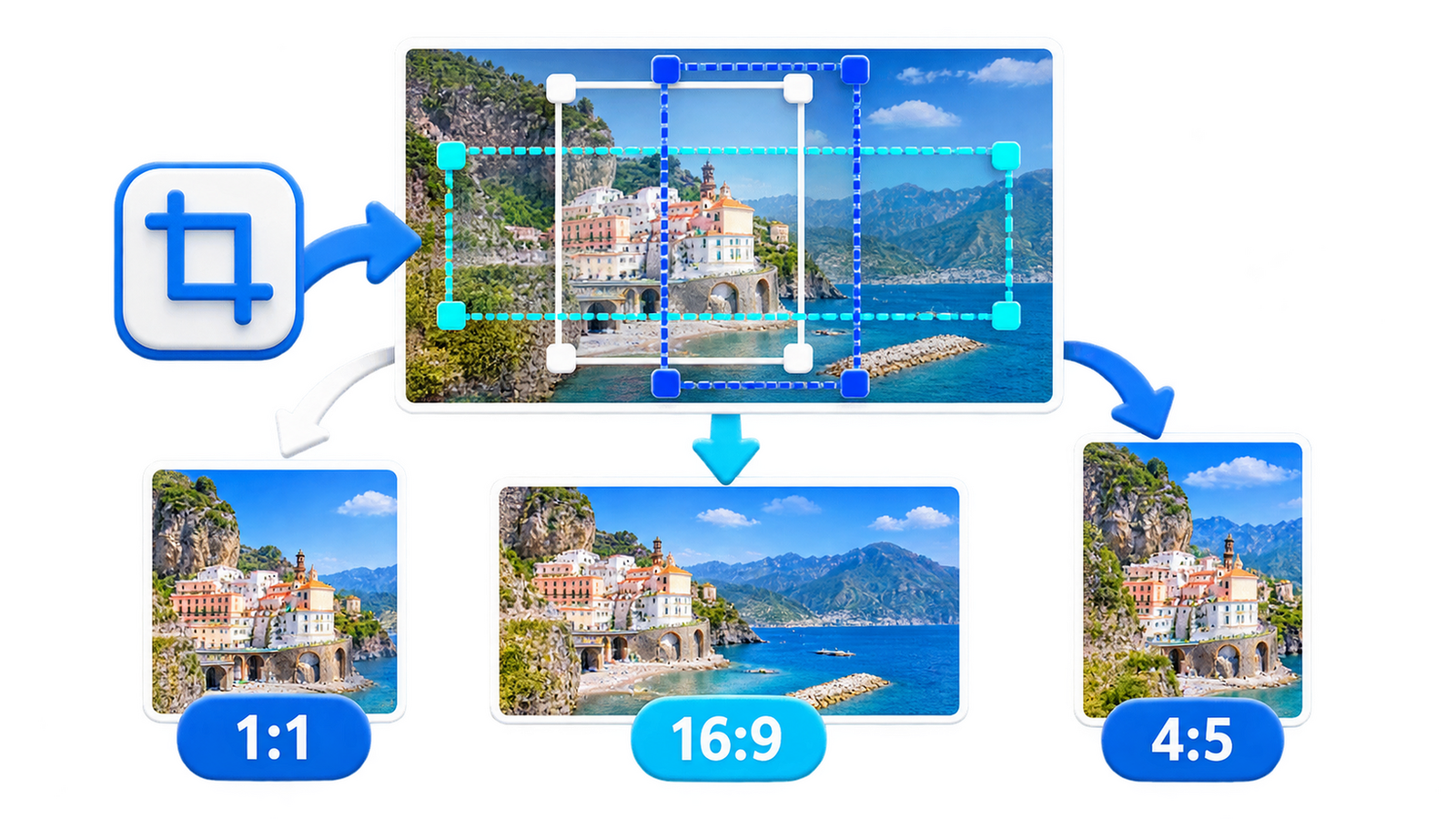
How to Choose an Aspect Ratio
An aspect ratio describes the relationship between the width and height of a crop. Choosing the correct ratio helps your image fit its destination without unexpected cutting or stretching.
1:1 Square
The 1:1 ratio creates a square image. It is useful for profile pictures, product cards, thumbnails and many social media posts.
16:9 Widescreen
The 16:9 ratio creates a wide horizontal image commonly used for video thumbnails, presentations, website banners and widescreen displays.
9:16 Vertical
The 9:16 ratio is designed for tall mobile layouts such as Stories, Shorts and vertical video covers.
4:5 Portrait
The 4:5 ratio creates a vertical image that uses more screen height than a square while remaining suitable for many social feeds.
3:2 Photography
The 3:2 ratio matches a common camera and photography format. It works well for landscape photographs and printed images.
Free Crop or Fixed Ratio?
Use Free crop when you only want to remove a distracting edge or isolate a subject without following a platform requirement. Use a fixed ratio when the final destination expects a specific shape. Always check the current recommendations of the platform where you plan to publish.
Crop Versus Resize
Cropping removes areas around the image. Resizing changes the pixel width and height of the whole picture. If you need a different composition, crop first. If the cropped result must have exact dimensions, use the Image Resizer afterward.
You can also use the Image Compressor after cropping to reduce the final file size for faster website loading.
Tips for a Better Crop
- Keep the main subject away from the crop edges.
- Avoid cutting through faces, hands or important product details.
- Use empty space intentionally when text will be added later.
- Preview the crop at the size where it will be displayed.
- Keep the original image as a backup.
- Choose PNG when the source contains transparency.
Frequently Asked Questions
Does Cropping Reduce Image Quality?
The selected area keeps its original pixels, but the final image contains fewer total pixels because the outside area is removed. JPG quality settings can also affect detail and file size.
Can I Preserve Transparency?
Yes. Choose PNG output when your source image contains transparent areas. JPG does not support transparency.
Can I Crop an Image on a Phone?
Yes. The crop frame supports pointer and touch interaction on compatible mobile browsers.
Are My Images Uploaded?
No. The cropping process runs locally in your browser, so your selected image stays on your device.
Crop Your Image Now
Open the EKO24.NET Image Cropper, choose the area you want to keep and select the correct aspect ratio. Preview the result and download the finished image directly to your device.
Aspect Ratio Is Not the Same as Pixel Resolution
A 1:1 crop could be 400 × 400 pixels or 1200 × 1200 pixels: the shape is the same, but the number of pixels is different. Similarly, 16:9 describes the shape of a wide image, not a guaranteed export size. Check the platform's current size recommendations and inspect the final file dimensions before publishing.
Common Cropping Mistakes
- Cutting off essential content: Leave room around faces, text, and products so later circular crops or responsive layouts do not hide them.
- Confusing crop with resize: Cropping removes outer pixels; resizing changes the dimensions of the retained image. If you need both a new composition and a specific resolution, crop first and then resize.
- Upscaling a tiny crop: Enlarging a small selected region cannot recreate lost image detail and may make it look soft.
- Ignoring the output format: JPEG cannot preserve transparent areas. If transparency matters, choose a compatible format such as PNG.
When scaling images in a browser, the Canvas API may smooth pixels, which can change the appearance of fine detail. The result should be checked at its intended display size, especially for text and pixel art.
Sources: MDN — Scaling images with Canvas; MDN — Image smoothing behavior.