EKO24.NET Tech & Creator Blog

YouTube growth, SEO, streaming, gaming and creator guides from EKO24.NET.

All Articles YouTube Growth SEO & Marketing Streaming Gaming Creator Tools Tech & Hardware Artificial Intelligence Cybersecurity
How to Use Google Trends to Find Rising Keywords in 2026
SEO & Marketing

How to Use Google Trends to Find Rising Keywords in 2026

How to Use Google Trends to Find Rising Keywords in 2026 Coming up with new article ideas is not always easy. Sometimes you search for keywords and find the same topics repeated everywhere. Google Trends can help because it shows what people are becoming interested in before a subject gets too crowded. Start with a simple idea Think about the topics your visitors already care about. If you create YouTube content, start with a broad search such as “YouTube Shorts”, “video ideas” or “AI video tools”. You can also use the EKO24.NET Keyword Generator to turn a broad topic into more specific keyword ideas. Google Trends lets you compare similar searches. You may notice that one phrase is slowly growing while another is losing interest. That small difference can help you choose a better title for your next article. Look at rising searches The most useful part is often the related searches section. It can show terms that are rising quickly or starting to appear more often. You do not need to write about every trend. Pick the ones that make sense for your website and that you can explain properly. Before publishing, check that your page is clear with the SEO Checker. Check the time range For a new topic, look at the last 30 days. If you want to understand whether a subject comes back every year, check the last 12 months or even five years. This is useful for seasonal content. Searches about travel, school, fitness or holiday gifts can rise at the same time every year. Publishing early gives your page time to appear in search results. Turn the trend into a useful article Once you find a good keyword, do not force it everywhere. Write a clear title, explain the subject in simple words and add examples when they help. If you create video content, you can combine your keyword research with the YouTube Title Generator and the YouTube Tags Generator to prepare your video before publishing. Final thoughts Google Trends is not magic, but it is a practical place to find fresh ideas. Spend a few minutes checking it before planning your next article. You may find a topic that your audience is already starting to search for. Explore more free YouTube and SEO tools on EKO24.NET to develop your next content idea.

Read Article →
How to Find Low-Competition Keywords in 2026
SEO & Marketing

How to Find Low-Competition Keywords in 2026

Ranking for a broad keyword can be difficult when established websites already dominate the results. A better starting point is to find specific searches that receive less attention but still match a real need. Low-competition keywords are not shortcuts or guaranteed rankings. They are focused opportunities where a useful, well-written page may have a realistic chance to earn visibility. This guide explains how to find them without relying only on a single difficulty score. What Is a Low-Competition Keyword? A low-competition keyword is a search phrase for which the current results leave room for a better or more relevant answer. It may be a detailed question, a local search, a comparison or a problem that larger websites have not covered clearly. For example, “video editing” is extremely broad. A phrase such as “how to edit vertical cooking videos on a phone” has a clearer audience and purpose. The second phrase may attract fewer searches, but the visitors it brings are more likely to find exactly what they need. 1. Begin with a Specific Topic Start with a subject that closely matches your website, service or channel. Avoid entering a word that is too general. Instead of starting with “fitness,” try “home fitness for seniors” or “short workouts for office workers.” You can use the Keyword Generator to expand a specific topic into long-tail phrases, questions and search-intent variations. Treat the suggestions as ideas to investigate, not as automatic proof that a keyword is easy. 2. Look for Long-Tail Searches Long-tail keywords usually contain more detail than broad head terms. They may mention a particular user, device, location, price range or goal. This extra detail makes the search intent easier to understand. Useful patterns include: How to solve a specific problem Best option for a particular type of user A product or method compared with an alternative A task performed on a specific device or platform A long phrase is not automatically low competition. It still needs to be checked against the pages already ranking for it. 3. Understand the Search Intent Search intent is the result a person expects to find. Some queries need a quick definition, while others need a tutorial, comparison, product page or calculator. A page can be excellent and still struggle if it uses the wrong format. Search the phrase manually and study the first page. If most results are tutorials, a short product page probably will not satisfy the same need. If the results are mixed or several pages answer a different question, there may be space for a more focused article. 4. Inspect the Current Results Do not judge competition from a number alone. Open the leading results and look at what they actually offer. Does the title match the exact query? Is the information current and easy to understand? Are the results from major specialist websites only? Could you add clearer steps, original examples or a useful tool? A promising keyword often has results that are outdated, too general, incomplete or poorly matched to the searcher's real question. 5. Evaluate Relevance Before Volume A small but relevant audience is usually more valuable than a large audience looking for something else. Before choosing a keyword, ask whether the visitor would naturally benefit from your page and whether the subject fits the rest of your website. Search-volume estimates can help compare ideas, but they are not exact predictions. Very specific keywords may also receive traffic from several close variations, even when each individual phrase appears small. 6. Build a Small Topic Cluster Instead of creating several thin pages for nearly identical keywords, group close phrases around one strong topic. Write one main guide, then add supporting articles only when each page serves a clearly different need. For example, a main guide about YouTube keyword research could connect to separate pages about question keywords, video titles and search-intent analysis. Natural internal links help visitors move between those resources and make the site structure easier to understand. 7. Create a Better Answer Using a keyword in the title is not enough. The page should solve the problem promised by that title. Add practical steps, accurate explanations and examples that come from genuine experience or careful research. Google recommends creating helpful, reliable content for people and using the words visitors search for in prominent places such as the title and main heading. That does not mean repeating the same phrase in every paragraph. Write naturally and use related terms only where they improve clarity. Before publishing, the SEO Checker can help you review basic on-page elements. You can also test concise headline variations with the Title Generator, then select the version that describes the page honestly. 8. Measure the Result and Improve Keyword research continues after publication. Use Google Search Console to see which queries produce impressions, which pages attract clicks and whether visitors are finding the page through unexpected variations. Give a new article enough time to be discovered and evaluated. If it receives impressions but few clicks, improve the title and description without changing the promise of the page. If it ranks for the wrong intent, clarify the introduction and expand the section that visitors actually need. Common Mistakes to Avoid Choosing a keyword only because a tool labels it “easy” Targeting phrases unrelated to the site's main audience Creating many near-duplicate articles for similar queries Copying the structure of ranking pages without adding new value Forcing the exact keyword into every heading and paragraph A Simple Keyword Research Workflow Choose one specific subject relevant to your audience. Generate long-tail phrases and questions. Search the best candidates manually. Identify the intent and weaknesses in the existing results. Select one primary topic and a few natural variations. Create a complete page that offers a genuinely useful answer. Measure real queries and improve the page over time. Frequently Asked Questions Are low-competition keywords always long? No. Many are long-tail phrases, but competition depends on the current results, the topic and the quality of available answers—not simply the number of words. Should I target keywords with zero reported volume? A zero estimate does not always mean nobody searches for the phrase. If the question is highly relevant and represents a real audience need, it may still deserve a useful page. How many keywords should one article target? Focus on one clear subject. Closely related variations can appear naturally in the same article, but different search intents usually need separate pages. Can a new website rank for competitive topics? Yes, but beginning with focused opportunities can help a new website build useful content and topical depth before competing for broader phrases. Final Thoughts The best low-competition keyword is not merely the phrase with the smallest score. It is a relevant search where you understand the visitor's goal and can publish a noticeably better answer than the pages currently available. Start specific, inspect the real results, create useful content and learn from performance data. That process is slower than chasing random keyword lists, but it builds a stronger foundation for sustainable search traffic.

Read Article →
Why Some Websites Get Traffic and Others Don’t 🔥
SEO & Marketing

Why Some Websites Get Traffic and Others Don’t 🔥

Why Some Websites Get Traffic and Others Don’t Two websites can publish content about the same topic and still get completely different results. One may attract visitors every day, while the other struggles to get noticed. The difference is rarely one secret trick. Website traffic usually comes from a combination of useful content, clear pages, good search visibility, and a site that gives visitors a reason to stay. Useful Content Gives People a Reason to Visit A website needs to answer real questions or solve real problems. Publishing more pages does not automatically mean getting more traffic. A smaller collection of useful articles can often be more valuable than dozens of pages created only to target keywords. Visitors want clear information that helps them find an answer without wasting time. Search Engines Need to Understand the Website Good content also needs a clear structure. Page titles, headings, internal links, descriptive URLs, and well-organized categories help search engines understand what each page is about. This also makes navigation easier for visitors. When related pages are connected naturally, someone who discovers one useful article can continue exploring the website instead of leaving immediately. Useful content and clear search visibility can help websites attract steady traffic. The Title Can Make a Big Difference Appearing in search results is only part of the job. People still need a reason to click. A clear title should tell readers what they can expect from the page. Titles that are confusing, exaggerated, or too generic may be ignored even when the page itself contains useful information. Speed and Mobile Experience Matter Visitors do not want to wait for a slow page or constantly zoom and scroll sideways on a phone. Large images, unnecessary scripts, intrusive elements, and complicated layouts can make a website frustrating to use. A fast and readable page creates a much better first impression. Older Content Should Not Be Forgotten Publishing a new article and never looking at it again can be a missed opportunity. Information changes, links become outdated, and better explanations can often be added later. Reviewing older pages can keep useful content relevant and may also reveal opportunities for new internal links. Traffic Usually Takes Time A new page may not receive search traffic immediately. Search engines need time to discover, crawl, understand, and evaluate pages, and competition can vary greatly from one topic to another. Instead of expecting every article to succeed quickly, it is more useful to watch which topics attract impressions and visitors over time. That information can help guide future content decisions. Visitors Should Have Somewhere to Go Next Getting one click is useful, but a strong website also helps visitors discover the next relevant page. Helpful internal links can guide visitors from one useful page to the next. Related articles, useful tools, clear categories, and sensible internal links can turn a single visit into a longer session. The goal is not to add links everywhere, but to provide the next useful step when it makes sense. There Is No Single Traffic Formula Websites that grow consistently usually do several basic things well: they publish useful content, make pages easy to understand, maintain a good user experience, and improve existing content instead of only producing more. Traffic can rise and fall, and not every page will perform equally. Building a useful website over time is more sustainable than chasing every new SEO trick.

Read Article →
YouTube SEO Checklist 2026: Rank Higher in Search
SEO & Marketing

YouTube SEO Checklist 2026: Rank Higher in Search

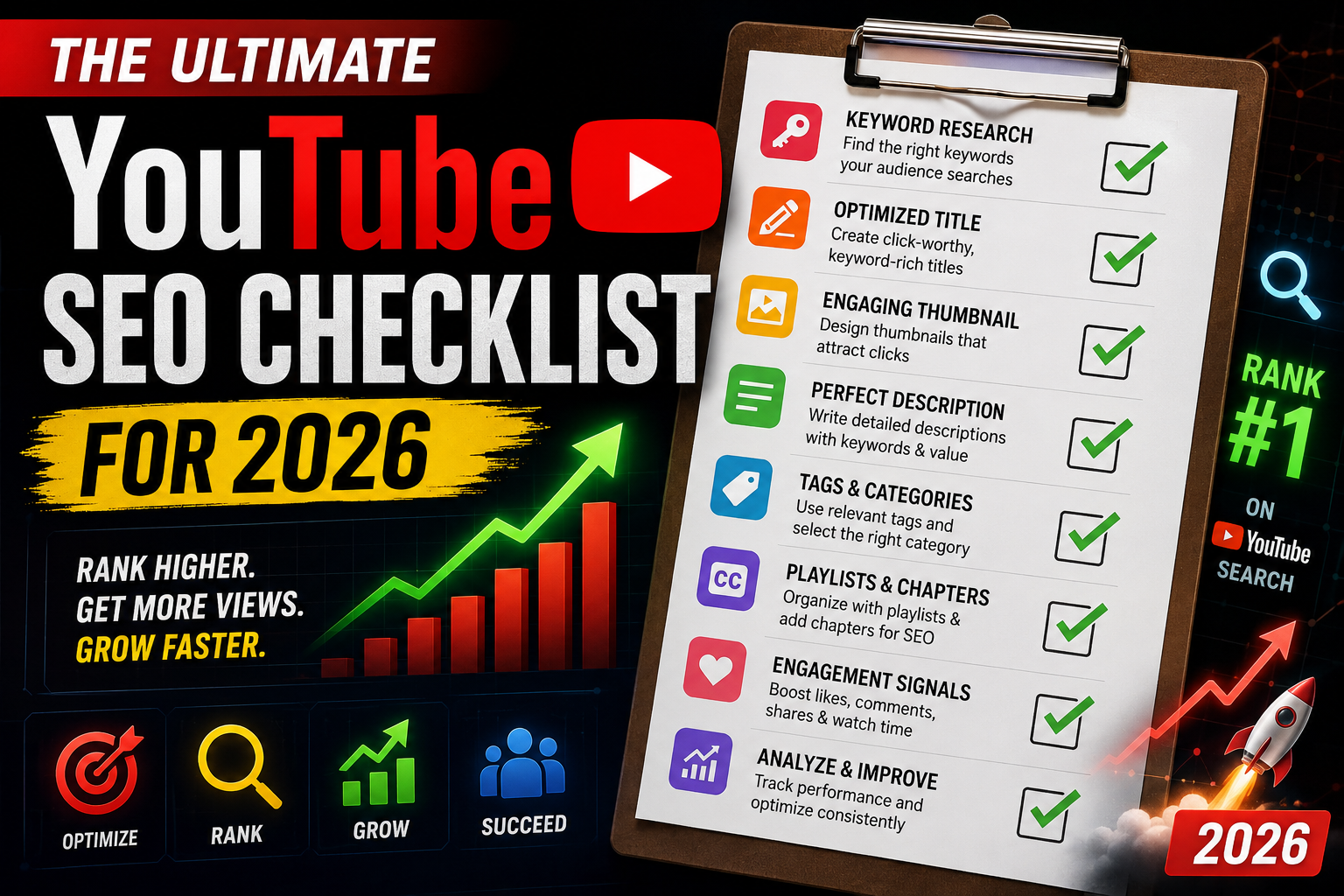
Optimizing your videos for YouTube SEO is the most effective way to drive long-term, passive traffic to your channel. While viral trends come and go, search-optimized content continues to generate views, leads, and revenue months—or even years—after publication. Following a systematic checklist for every upload ensures maximum discoverability.Leveraging tools like Ubersuggest provides an outstanding foundation for creators who need deep keyword research without high costs. Integrating specialized creator utility suites into your workflow streamlines the optimization process. For more insights on digital growth and optimization strategies, keep exploring the resources on EKO24.NET!1. Pre-Production: Keyword Research & IntentSEO starts long before you press record. Before filming, identify high-demand search phrases within your niche to ensure audience interest:Target Low-Competition Keywords: Focus on long-tail keywords where smaller channels can rank on page one.Analyze Search Intent: Search your target phrase on YouTube and study the top 3 ranking videos to understand what format works best.Generate Keyword Lists: Instantly discover high-volume search phrases using the free Keyword Generator on EKO24.NET.2. Metadata Optimization ChecklistWhen uploading your video file, structure your metadata to give search crawlers clear context about your content:File Name: Rename your video file (e.g., youtube-seo-checklist.mp4) before uploading.Title: Place your exact primary keyword near the beginning of the title. Generate catchy, CTR-focused title variations with the Title Generator on EKO24.NET.Description: Write a 200+ word detailed summary. Place your primary keyword in the first 150 characters, and naturally sprinkle 3-5 secondary keywords throughout.Tags & Hashtags: Fill your tags field with exact search phrases, broad category terms, and specific variations. Build instant tag lists using the Tags & Hashtag Generators on EKO24.NET.3. High-CTR Visual Packaging & Competitor BenchmarkingSearch ranking gets your video in front of viewers, but your thumbnail converts those impressions into clicks:Create high-contrast thumbnails with 2-4 words of complementary text.Download and inspect high-performing thumbnail designs from competitors using the HD Thumbnail Downloader on EKO24.NET.4. Post-Upload Engagement & Audience SignalsOnce your video is live, boost user interaction signals to tell the algorithm your content is engaging:Pin a Comment: Pin an open-ended question to spark discussion in the comments section.Add End Screens & Cards: Direct viewers to related videos on your channel to increase total session watch time.Related guides: Ahrefs Masterclass Review: Features, Drawbacks, and Essential Search Optimization Data and Exploring Google Search Console: Functions, Drawbacks, and Essential Data Points. You can also try the EKO24.NET Keyword Generator for a related creator workflow. ConclusionConsistently executing a structured YouTube SEO checklist transforms search traffic into a continuous growth engine for your channel. By combining keyword optimization with compelling visual packaging, you maximize your visibility across search and suggested feeds. For more insights on digital growth and optimization strategies, keep exploring the resources on EKO24.NET!

Read Article →
How to Find High-Volume YouTube Keywords in 2026
SEO & Marketing

How to Find High-Volume YouTube Keywords in 2026

Targeting the right search terms is the most reliable way to get long-term organic traffic on YouTube. Without proper keyword research, even high-budget videos risk getting lost in millions of search results. Understanding search intent and finding high-volume, low-competition tags is essential for channel growth.Platform tools like Ubersuggest provide an outstanding foundation for creators who need powerful SEO insights without a high price tag. Combining standard search research with specialized toolkits helps creators turn search volume data into actionable content plans. For more insights on digital growth and optimization strategies, keep exploring the resources on EKO24.NET!1. Understand YouTube Search IntentUnlike regular Google search, YouTube users are primarily looking for visual solutions, tutorials, reviews, or entertaining content. When researching keywords, ensure your selected terms match what viewers expect to watch:How-To / Tutorials: Direct problem-solving phrases (e.g., "how to edit videos fast").Reviews & Comparisons: High-intent buyer queries (e.g., "best mic for YouTube beginners").Broad Topic Searches: Broader category terms where high CTR titles are necessary to compete.2. Finding Long-Tail Keywords for Fast RankingNewer channels often struggle to rank for broad keywords like "YouTube Growth". Targeting long-tail keywords—phrases containing three or more words—gives smaller creators a competitive advantage.Instead of targeting broad terms, target specific variations like "how to get more views on YouTube without showing face". You can easily generate optimized tags and keyword ideas using the free Keyword Generator on EKO24.NET.3. Integrating Keywords Into Video MetadataOnce you have identified your primary and secondary target keywords, strategically place them across your metadata:Title: Place your main target keyword near the beginning of the title.Description: Include the main phrase within the first two sentences, and spread secondary keywords naturally across a 200+ word description.Tags & Hashtags: Use exact-match search terms as video tags. You can quickly generate structured tags with the Tags Generator on EKO24.NET.Related guides: Ahrefs Masterclass Review: Features, Drawbacks, and Essential Search Optimization Data and AnswerThePublic In-Depth Review: Core Capabilities, Constraints, and Content Strategy Metrics. You can also try the EKO24.NET Keyword Generator for a related creator workflow. ConclusionKeyword research is not a one-time task; it is an ongoing workflow for every video upload. By finding low-competition search phrases, optimizing video metadata, and using accessible SEO tools, creators can build consistent organic reach. For more insights on digital growth and optimization strategies, keep exploring the resources on EKO24.NET!

Read Article →
Google Keyword Planner: Keyword Research Guide
SEO & Marketing

Google Keyword Planner: Keyword Research Guide

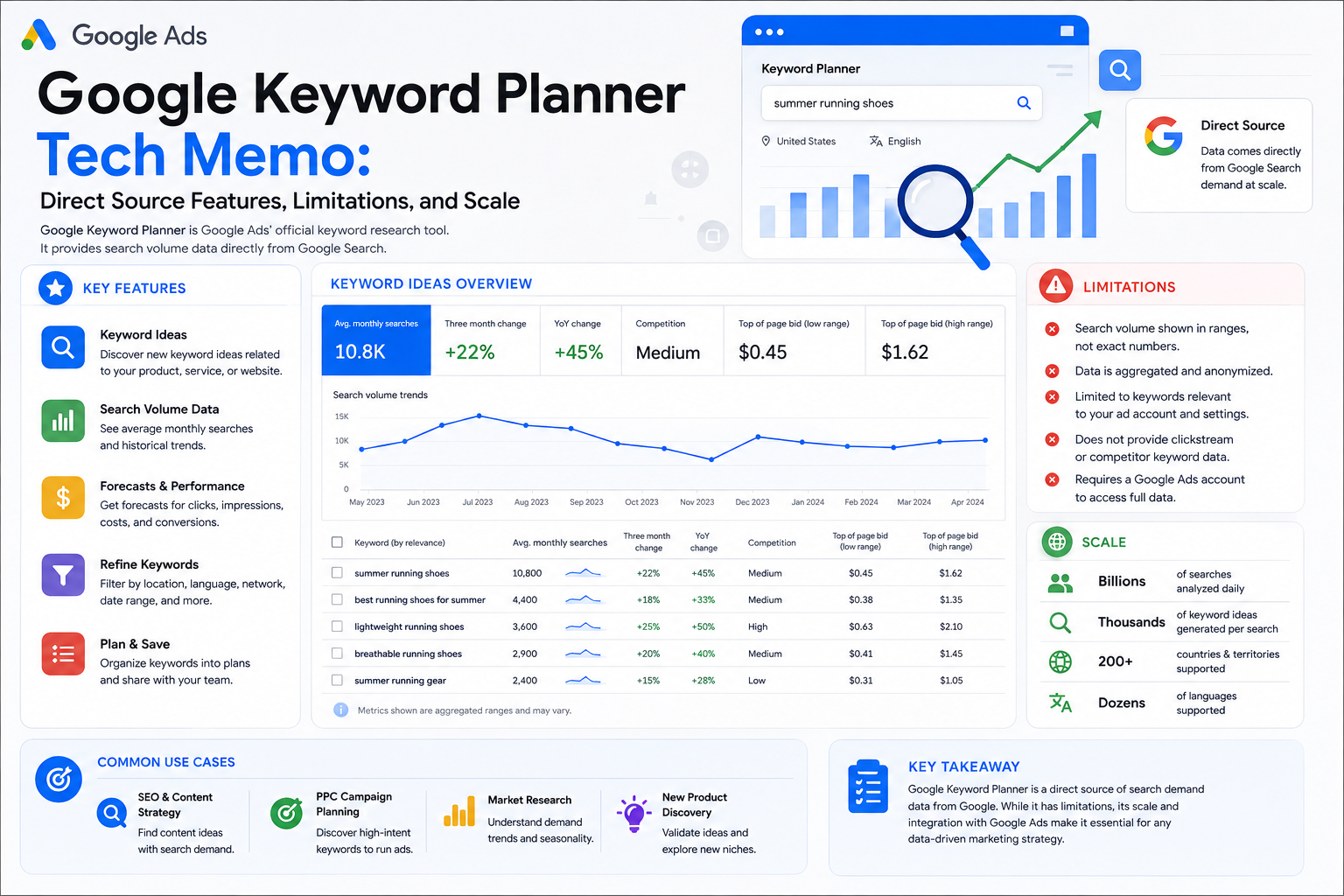
Google Keyword Planner Tech Memo DOC-ID: GKP-2026-REF01 // FIRST-PARTY SOURCE DATA Unlike third-party estimations or scraped web indexes, Google Keyword Planner represents the absolute source of truth—pulling metrics directly from Google's internal advertising infrastructure. For technical directors and content engineers scaling platforms like EKO24.NET, this tool serves as the primary calibration engine for understanding real search intent, bidding competition, and high-yield keyword trajectories. System Specifications: Core Features ⚡ Direct First-Party Volume Data Because it operates directly on Google Ads infrastructure, search volume metrics reflect actual user queries processed by Google rather than probabilistic estimations. 💰 Bidding & Commercial Intent Metrics Provides precise Top of Page Bid ranges and competition indexes, revealing exactly how much commercial value and advertiser demand surrounds a specific term. 🔮 Forecast & Seasonal Projections Calculates impression shares, expected click-through rates (CTR), and seasonal traffic fluctuations based on historical campaign budget models. System Bottlenecks & Limitations Engineers must account for specific operational constraints when utilizing the platform: The Volume Ranges Trap: Unless you maintain an active, spending Google Ads campaign, search volume metrics are often restricted to broad ranges (e.g., 10K–100K) instead of exact figures. PPC-Centric Bias: Metrics are optimized for media buyers running ads, meaning organic SEO difficulty scores and semantic long-tail variations are less intuitive. Interface Complexity: The UI is built for enterprise advertisers, making casual keyword brainstorming and quick filtering less streamlined than dedicated SEO suites. Network Scale & Infrastructure Metrics 100% First-Party Google Index Global Multi-Region Language Scope Direct Ads Infrastructure Sync Related guides: Majestic SEO Intelligence Report: Trust Flow Analysis, Platform Constraints, and Key Metrics and Similarweb Intelligence Review: Global Traffic Analysis, Limitations and Data Scale. You can also try the EKO24.NET Keyword Generator for a related creator workflow.

Read Article →
Neil Patel Digital Growth Guide: Strategies and Limits
SEO & Marketing

Neil Patel Digital Growth Guide: Strategies and Limits

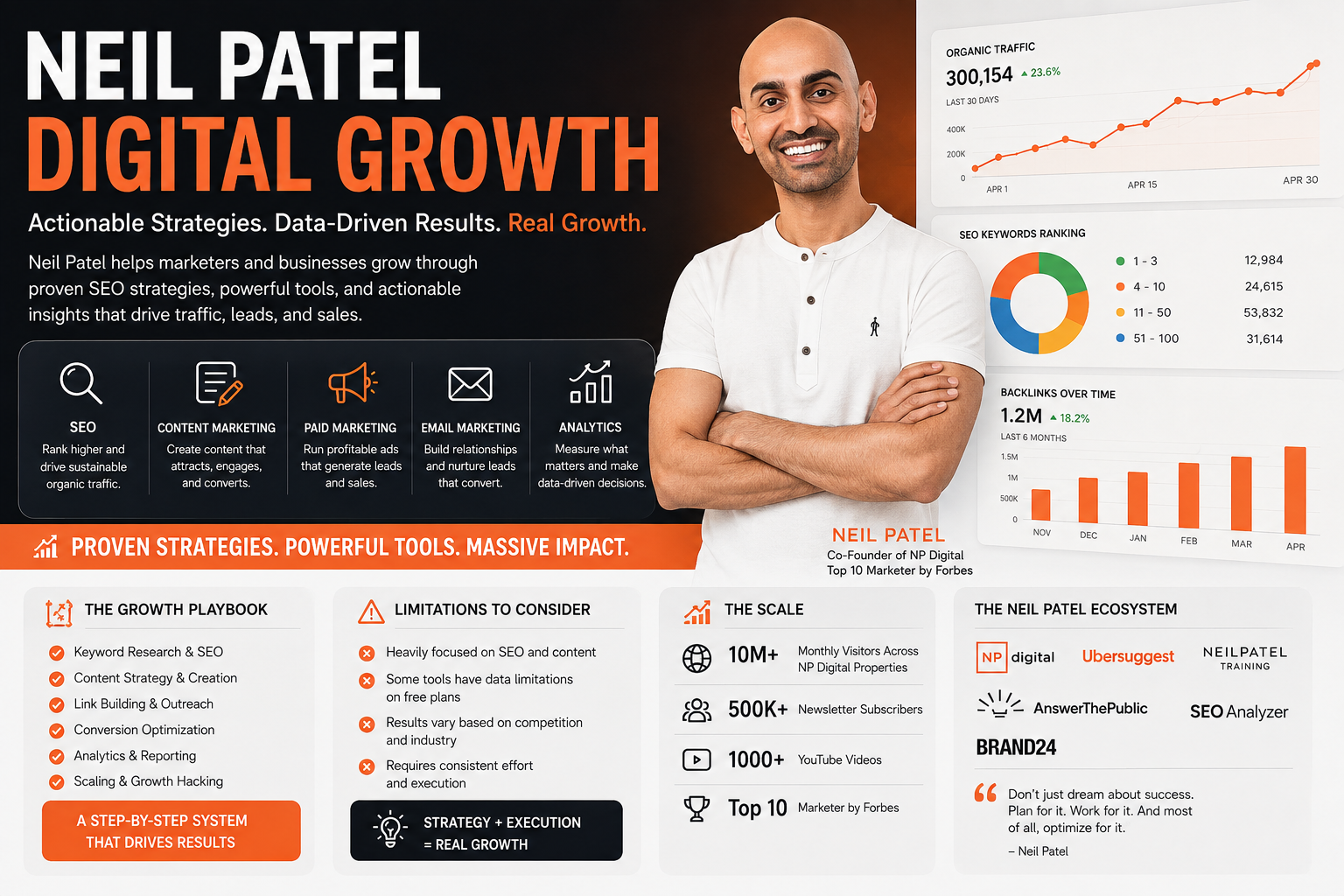
The Neil Patel Ecosystem Growth Playbook, Limitations & Scale Beyond being just a suite of tools, NeilPatel.com represents a comprehensive digital growth masterclass created by one of the industry's most prominent marketing icons. For independent creators, webmasters, and expanding networks like EKO24.NET, the Neil Patel ecosystem acts as a strategic advisory blueprint—combining free diagnostic utilities, world-class educational content, and enterprise-grade consultancy insights. Strategic Growth Pillars: What the Ecosystem Offers The platform focuses on democratizing digital marketing through several high-value pillars: 🎓 Comprehensive Educational Hub & Guides World-famous in-depth guides, step-by-step masterclasses, and tactical blog posts that break down complex SEO and social media strategies into beginner-friendly steps. 🔍 Free Website SEO Analyzer & Diagnostics Quick-scan diagnostic tools that allow anyone to evaluate site health, uncover core on-page mistakes, and identify immediate optimization priorities without upfront costs. 💼 NP Digital Agency Synergy A direct bridge from self-taught growth tactics to high-end enterprise consultancy through NP Digital, serving global brands with full-scale marketing execution. Strategic Friction: Ecosystem Limitations While the educational value is immense, operators should keep certain systemic constraints in mind: High Up-sell Funnel: Many free tools and diagnostic pages naturally funnel users toward paid software upgrades (like Ubersuggest) or high-ticket agency services. High-Level vs. Granular: Much of the published content and introductory material is designed for broad audiences, meaning veteran SEO experts might find some advice repetitive or foundational. Ecosystem Centralization: Relying solely on one influencer's methodology can sometimes create a single-lens perspective, missing out on alternative algorithmic nuances. Empire Scale & Global Impact Metrics Millions Monthly Readers & Learners Top 100 Influencer & Visionary Recognition Global Enterprise Reach via NP Digital Related guides: Majestic SEO Intelligence Report: Trust Flow Analysis, Platform Constraints, and Key Metrics and Similarweb Intelligence Review: Global Traffic Analysis, Limitations and Data Scale. You can also try the EKO24.NET Keyword Generator for a related creator workflow.

Read Article →
Similarweb Review: Traffic Analysis, Features and Limits
SEO & Marketing

Similarweb Review: Traffic Analysis, Features and Limits

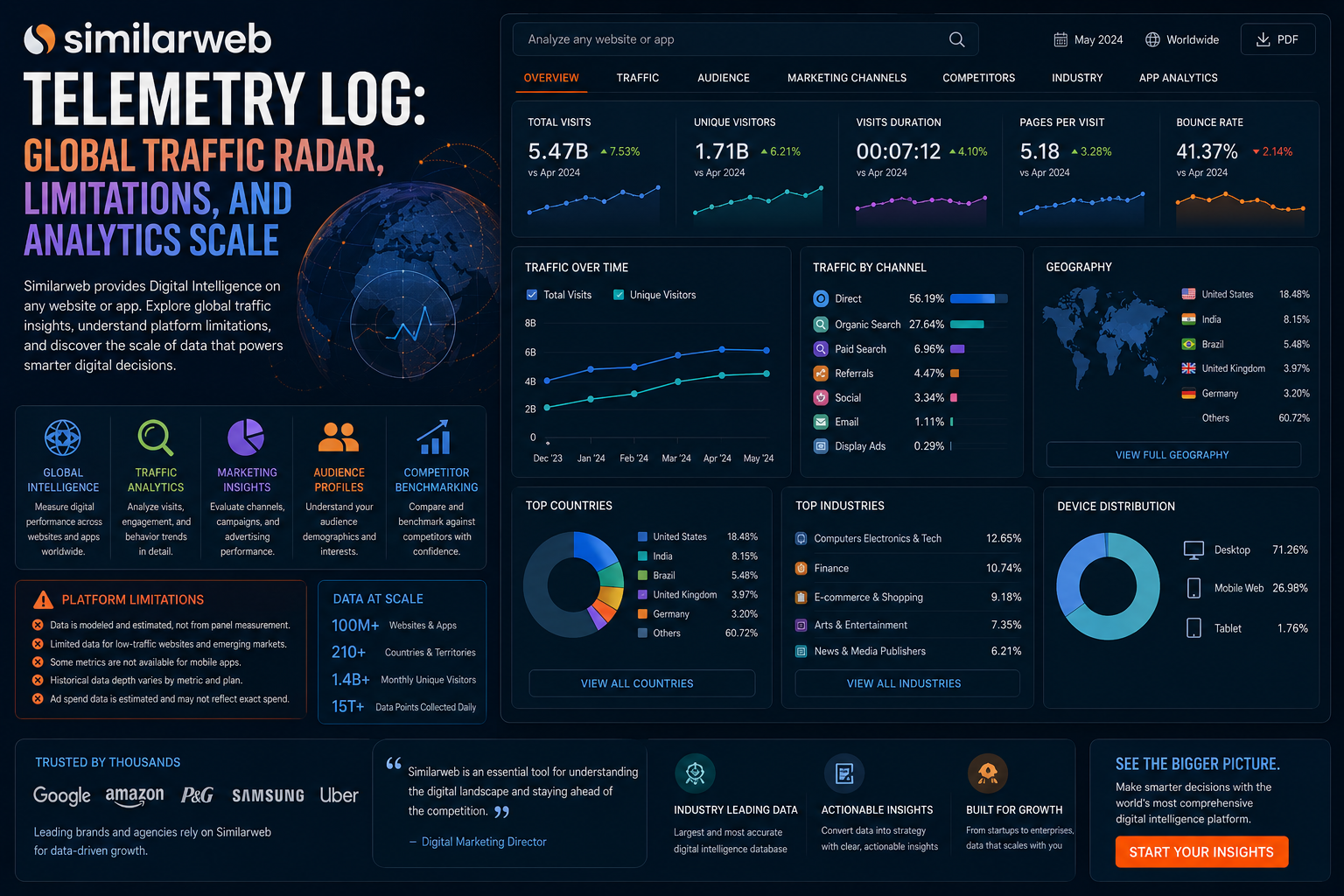
Similarweb Telemetry Log Global Traffic Radar & Market Analytics Ever wondered where millions of global visitors are flowing across the internet at any given second? Welcome to Similarweb, the digital world's ultimate traffic observatory. While tools like Ahrefs track links or SpyFu maps keywords, Similarweb tracks entire digital ecosystems. Whether you are scaling an independent project or evaluating traffic streams for platforms like EKO24.NET, this platform acts as an orbital radar for web traffic, audience demographics, and market share. Telemetry Scanners: Core Analytics Systems Similarweb provides a wide-angle lens view of the web through several key observation modules: 🌍 Comprehensive Traffic & Volume Estimation Instantly reveal any website's monthly visits, bounce rates, average visit durations, and traffic distribution across desktop and mobile devices. 🎯 Audience Demographics & Interests Map your audience's behavioral DNA, including gender distribution, age groups, overlapping interests, and what other websites they frequent before or after visiting yours. 📊 Referral & Outbound Traffic Channels Uncover major traffic sources broken down by direct traffic, organic search, social media networks, paid advertising, and high-value referral links. Signal Interference: Limitations & Blind Spots Despite its high-altitude capabilities, operators should keep certain technical constraints in mind: Data Estimation for Low-Traffic Sites: For small blogs or brand-new domains with minimal traffic, Similarweb's data models can be inaccurate or completely blank due to insufficient sample sizes. Enterprise-Tier Pricing: Access to deep historical data, granular APIs, and extensive filtering comes with a remarkably high corporate subscription cost. Not a Tactical SEO Crawler: It will not audit your broken links, write optimized text content, or fix technical server errors like a dedicated technical crawler. Orbital Scale & Telemetry Metrics 1B+ Websites Tracked Globally Multi-Source Panels, ISPs & Direct Crawls Global Industry Standard for Benchmarking Related guides: Google Keyword Planner Intelligence Report: Keyword Research, Constraints and Data Scale and Ahrefs Masterclass Review: Features, Drawbacks, and Essential Search Optimization Data. You can also try the EKO24.NET Keyword Generator for a related creator workflow.

Read Article →
SpyFu competitor keyword and PPC research
SEO & Marketing

SpyFu Review: Competitor Keywords, PPC Research and Limitations

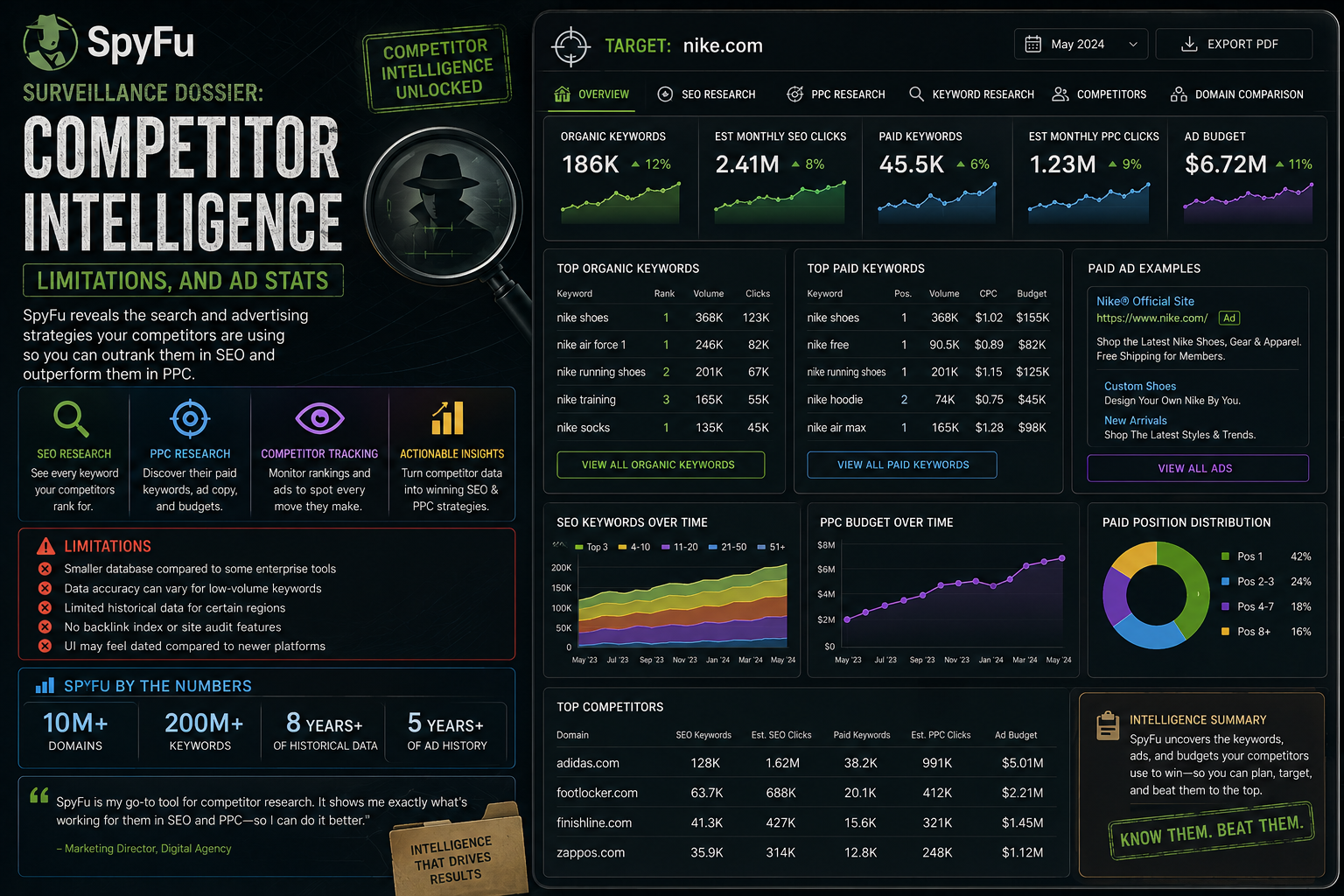
SpyFu Surveillance Dossier COMPETITOR SEARCH INTELLIGENCE SpyFu is an SEO and PPC research platform focused on competitor search data. Entering a domain can help you explore keywords associated with that site, compare domains and investigate paid-search activity. Its main value is competitive research: using available search data to generate questions and ideas about where competitors appear and which terms may deserve a closer look. Core Capabilities 🔎 Competitor Keywords Explore keyword data connected with competing domains and use it to identify topics that may be worth researching for your own site. 📢 PPC Research Review available paid-search information and historical ad examples to understand how competitors approach search advertising. ⚖️ Domain Comparison Compare domains to look for overlapping keywords, differences and potential gaps that deserve further investigation. What SpyFu Is Good For SpyFu can be useful when you already know your main competitors and want a quick view of their search footprint. Rather than copying a competitor's strategy, use the information to find questions: Which topics overlap? Which keywords are relevant to your audience? Are there useful subjects you have not covered yet? Historical views can also provide context when researching changes in a domain's organic or paid-search activity. Limitations to Keep in Mind Third-party estimates: competitor traffic, rankings and advertising information should be treated as research data rather than the competitor's private analytics. Coverage can vary: the usefulness of the data can depend on the market, query and domain being researched. Not a replacement for your own data: Search Console, analytics and advertising-account data remain more direct sources for your own website. Different SEO jobs need different tools: competitor research does not replace a complete technical site audit. A Practical Competitor Research Workflow Begin with a small group of genuinely relevant competitors. Compare their keyword themes and identify topics that overlap with your own site. Then inspect the actual search results before deciding whether an opportunity makes sense. Prioritize ideas that match your audience and where you can create something genuinely useful. A competitor ranking for a keyword is a research signal—not a reason to publish a copy of the same page. Final Thoughts SpyFu is most useful as a competitor-research tool for SEO and paid search. It can help reveal keyword themes and historical patterns, but its data should be interpreted alongside your own analytics and a manual review of the search results. Related guides: Similarweb Intelligence Review and Ubersuggest Analysis. You can also try the EKO24.NET Keyword Generator when researching keyword ideas.

Read Article →
Majestic SEO backlink analysis with Trust Flow and Citation Flow
SEO & Marketing

Majestic SEO Intelligence Report: Trust Flow Analysis, Platform Constraints, and Key Metrics

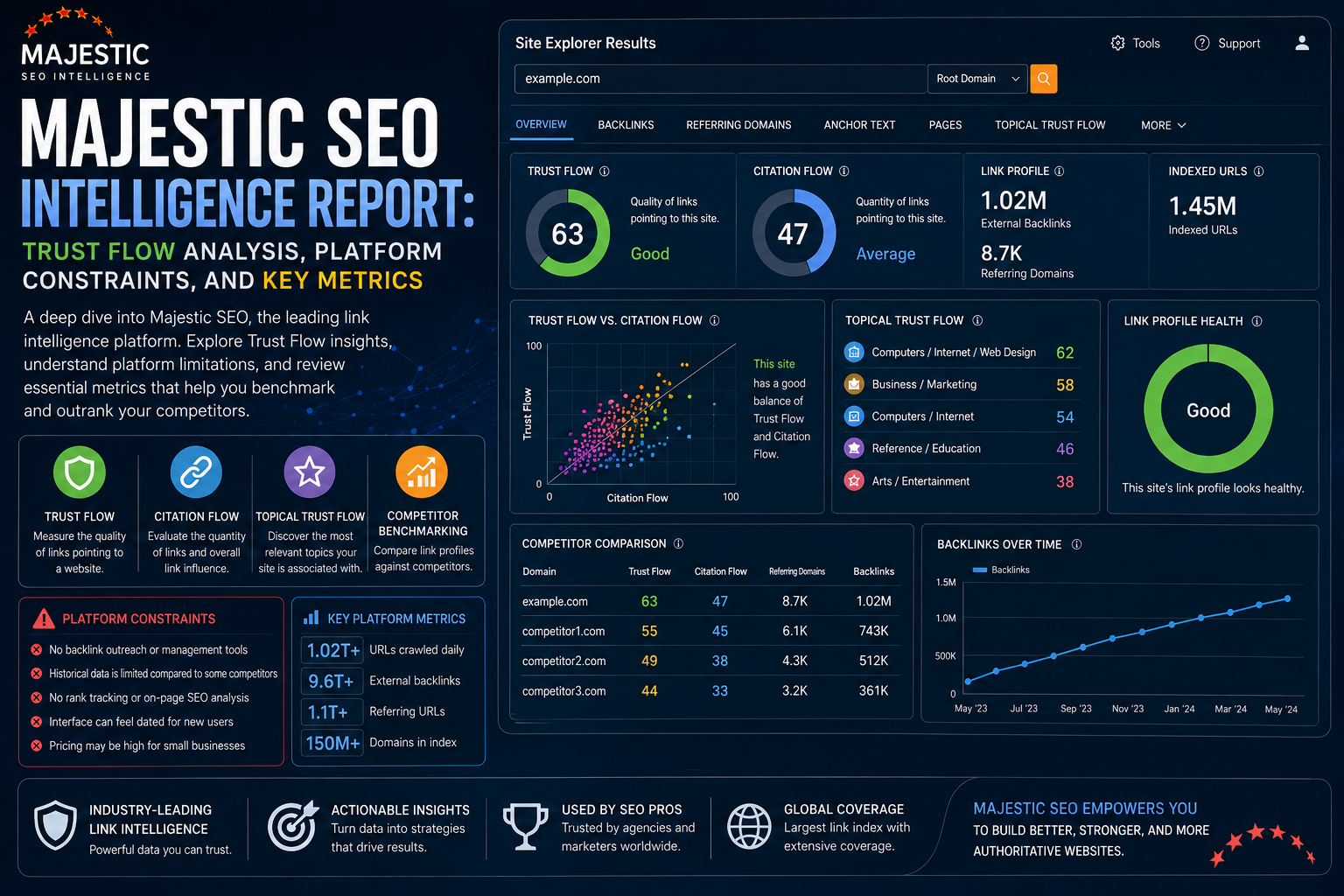
Majestic SEO INTELLIGENCE REPORT & DATA ANALYSIS Majestic is an SEO platform built mainly for backlink research. Instead of trying to cover every part of SEO, it focuses on links between websites, referring domains, link context and historical backlink data. That specialization makes Majestic useful when you want to understand who links to a website, what topics those links are associated with, and how a backlink profile changes over time. The Twin Pillars of Authority Two of Majestic's best-known metrics are Trust Flow and Citation Flow. They describe different parts of a backlink profile and are more useful as research signals than as absolute measures of website quality. 🛡️ Trust Flow (TF) Trust Flow estimates the quality and trust associated with links pointing to a page or domain. It can help highlight differences between backlink profiles, but it should always be considered together with relevance and manual review. 📈 Citation Flow (CF) Citation Flow focuses more on the influence and quantity of links. A site can have many backlinks and a strong Citation Flow without those links necessarily being highly relevant or trustworthy. Topical Trust Flow Topical Trust Flow adds another layer by showing the topics associated with a site's backlink profile. This is useful because link relevance matters: a technology site, for example, normally wants links from pages and domains connected to technology rather than a large collection of unrelated sources. Operational Breakdown: Strengths & Weaknesses ✓ The Advantages Historic backlink data: useful for seeing how a site's link profile has changed over time. Link Context: helps investigate where a backlink appears and the content surrounding it. Topical Trust Flow: gives extra context about the subjects connected to a site's links. Referring domains: makes it easier to identify the websites responsible for backlinks. ✗ The Limitations Specialized rather than all-in-one: other tools may still be needed for keyword research, content optimization and on-page auditing. Learning curve: backlink terminology and the number of metrics can take time to understand. Metrics need context: TF and CF should not replace a manual review of relevance, page quality and link placement. How to Use Majestic More Effectively Start with the referring domains instead of focusing only on a single score. Look at which sites are linking, whether they are relevant to the topic, and where the links appear. Then compare Trust Flow, Citation Flow and Topical Trust Flow for additional context. Historical data can also help reveal new or lost links and changes in a backlink profile. When researching competitors, this may uncover websites or content types worth investigating for your own link-building ideas. Do Not Chase a Perfect TF/CF Ratio There is no single Majestic number that can tell you whether a website or backlink is good. A useful backlink should be reviewed in context. Relevance, the quality of the page, placement and the surrounding content can matter more than trying to reach a particular metric. Final Thoughts Majestic is most useful when backlink intelligence is the main job. Trust Flow, Citation Flow, Topical Trust Flow, referring domains and historical data provide several ways to investigate how websites are connected across the web. Use those metrics as research signals, then combine the findings with useful content, technical SEO and sensible internal linking. You can also explore more SEO guides on EKO24 for related research.

Read Article →
Surfer SEO: The Science of Ranking
SEO & Marketing

Surfer SEO: The Science of Ranking

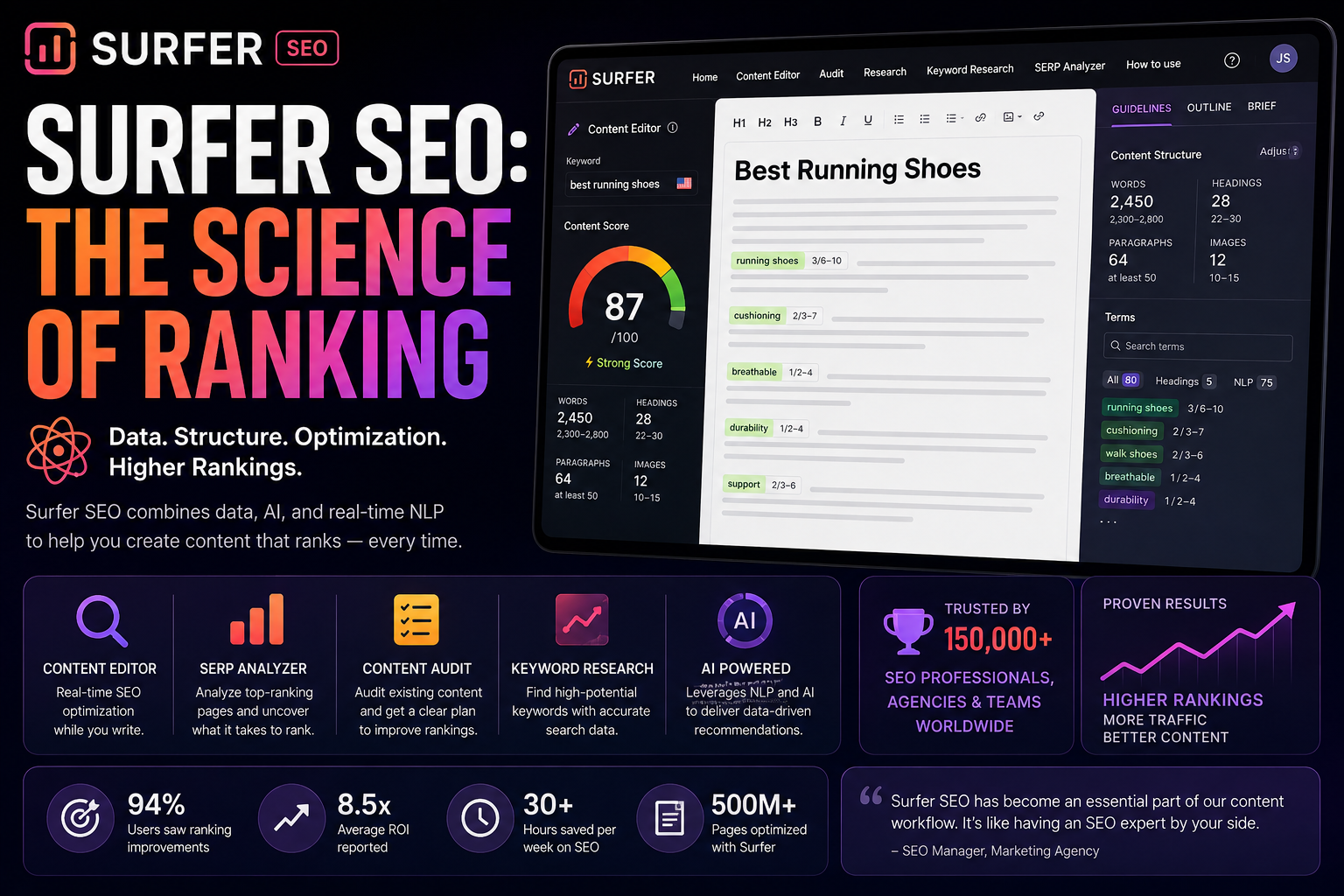
Surfer SEO: The Science of Ranking Editorial Review & Performance Breakdown In the modern era of digital content, guessing what search algorithms want is a losing game. Enter Surfer SEO, a data-driven platform that has completely revolutionized how creators optimize their text. Whether you are drafting a detailed script for a new episode about the YouTube Creator Toolkit, or optimizing the show notes and descriptions for your video pages on EKO24.NET, Surfer takes the guesswork out of the equation. "Surfer SEO doesn't just tell you what keywords to use; it tells you exactly how many times to use them, where to place them, and how your content compares to the top 10 ranking pages in real-time." The Surfer Edge: How It Changes the Game Unlike traditional tools that focus purely on finding keywords, Surfer focuses on Natural Language Processing (NLP). Its flagship feature, the Content Editor, provides a live scoring system (from 1 to 100). As you type out your video descriptions or supporting text, the score updates in real-time, guiding you to naturally weave in terms that Google’s AI is actively looking for. Additionally, its SERP Analyzer breaks down over 500 ranking factors of your competitors. It analyzes text length, keyword density, page speed, and even image count, providing a mathematical roadmap to outrank them. Where the Tool Falls Short No tool is perfect. Because Surfer SEO relies heavily on data and averages, following its recommendations too rigidly can sometimes lead to "Keyword Stuffing" or robotic-sounding sentences. Creators must balance the SEO score with actual human readability. Furthermore, it is a specialized on-page optimization tool. If you are looking for deep backlink analysis or technical site auditing, Surfer is not the right choice. It also comes with a steeper price tag, which might be a barrier for independent creators just starting out. Surfer By The Numbers 500+ Ranking factors analyzed per search query. 90% Of users report higher rankings within weeks of using the Content Editor. Multi-Platform Seamless integration with WordPress, Google Docs, and Jasper AI. Final Verdict: For video producers and webmasters looking to maximize the reach of their content through perfectly structured text and metadata, Surfer SEO is an unmatched asset in your digital arsenal. Related guides: Ahrefs Masterclass Review: Features, Drawbacks, and Essential Search Optimization Data and AnswerThePublic In-Depth Review: Core Capabilities, Constraints, and Content Strategy Metrics. You can also try the EKO24.NET Keyword Generator for a related creator workflow.

Read Article →
AnswerThePublic content ideas and search question research
SEO & Marketing

AnswerThePublic Review: Content Ideas, Features and Limits

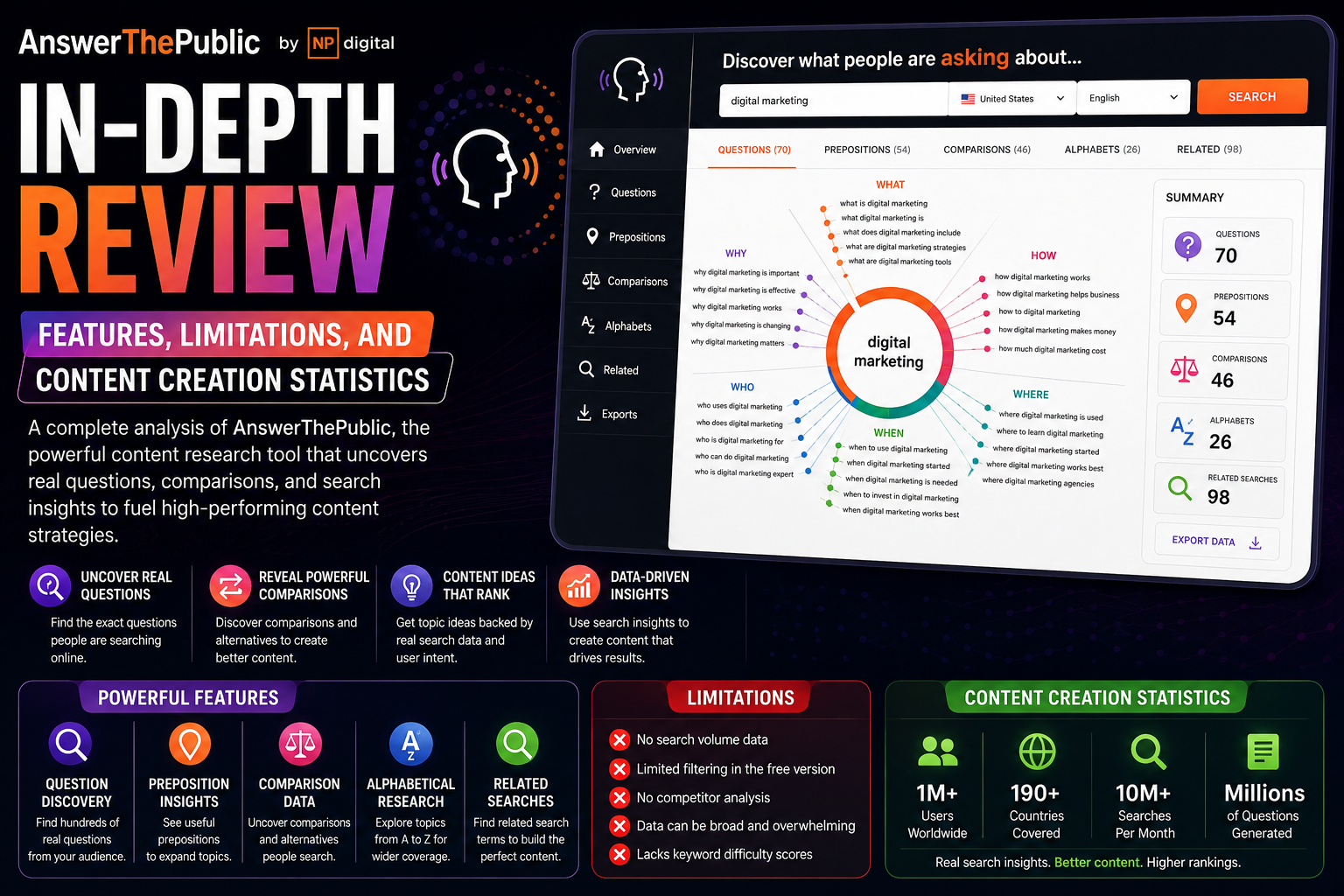
AnswerThePublic CONTENT IDEAS & SEARCH QUESTIONS AnswerThePublic is a search-listening and keyword-idea tool built around the questions and phrases people search for online. Instead of starting with a long spreadsheet of keywords, it organizes ideas into visual groups that can make content planning easier. For bloggers, YouTube creators and website owners, its main value is discovering different ways people phrase questions around the same topic. How AnswerThePublic Works Enter a topic or seed phrase and the tool generates related searches. Results are commonly organized around questions, prepositions, comparisons and alphabetical variations, giving you several angles to explore from one starting idea. ❓ Questions Explore searches built around words such as what, why, how, when and where. These can become useful starting points for guides, FAQs and videos. ⚖️ Comparisons Comparison phrases can reveal topics where users are trying to choose between products, tools, methods or ideas. 💡 Long-Tail Ideas Alphabetical and phrase-based suggestions can uncover more specific variations that may not appear in a basic brainstorming session. Where It Is Most Useful AnswerThePublic is particularly useful during the idea stage. You can use the results to build an article outline, collect FAQ questions, plan a series of videos or discover alternative wording around a subject. The visual presentation also makes it easy to scan a topic quickly before deciding which ideas deserve deeper keyword research. Important Limitations Ideas are not guarantees: a suggested phrase does not automatically mean it has strong traffic potential. SEO research may need more data: search demand, competition and SERP quality should be checked separately when they matter to your decision. Not a complete SEO suite: content ideation is different from technical auditing, backlink analysis and rank tracking. Generated lists need filtering: not every question will be relevant to your audience or worth turning into content. A Simple Content Workflow Start with a broad topic and collect the questions that closely match your audience. Group similar searches together instead of creating a separate page for every small variation. Then choose the strongest topic and build one useful piece of content that answers the main question clearly. Before publishing, compare the idea with existing search results and make sure your page or video adds something genuinely useful rather than simply repeating the wording of a suggested query. Final Thoughts AnswerThePublic is useful for turning a broad subject into concrete content questions. Its strength is brainstorming and search-intent exploration, while deeper SEO decisions may require additional research. Related guides: Majestic SEO Intelligence Report and Ahrefs Review. You can also try the EKO24.NET Keyword Generator when researching ideas for new content.

Read Article →
Screaming Frog SEO Spider: Features, Limits and Insights
SEO & Marketing

Screaming Frog SEO Spider: Features, Limits and Insights

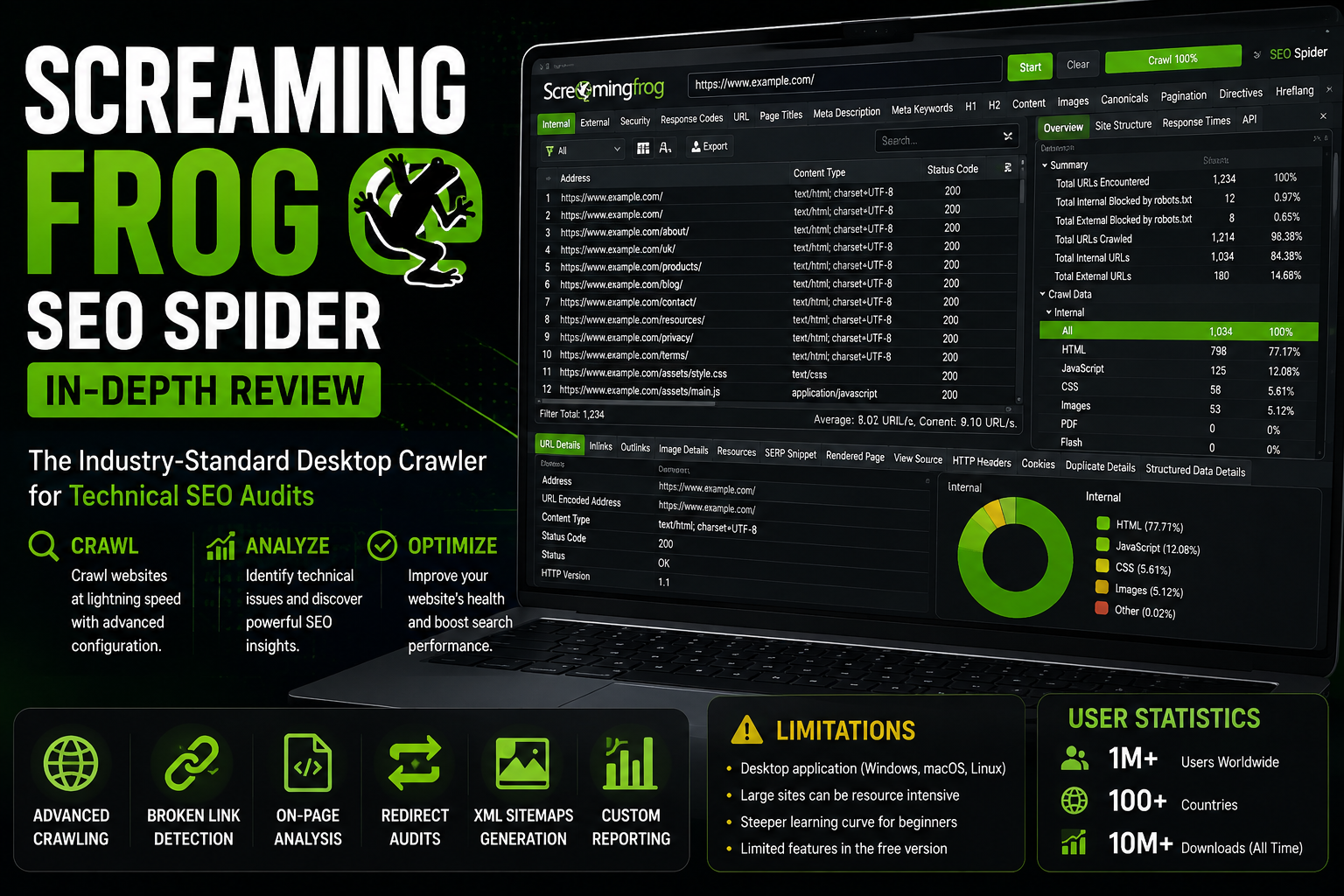
Screaming Frog SEO Spider: Features, Limitations, and Statistics Unlike cloud-based platforms like Ahrefs or Semrush, Screaming Frog SEO Spider is a powerful desktop program that you install locally on your PC or Mac. It is widely considered the absolute industry standard for conducting deep, technical SEO audits. Whether you are troubleshooting a custom-built platform like EKO24.NET or managing a massive enterprise website, this crawler acts exactly like Googlebot, fetching essential data to ensure your site's architecture is flawless. 1. Core Features of Screaming Frog The SEO Spider excels at uncovering hidden technical issues that can severely impact your search rankings: Deep Technical Crawling: Instantly finds broken links (404 errors), server errors (5xx), and redirect chains (301/302) across your entire website infrastructure. On-Page SEO Analysis: Analyzes page titles, meta descriptions, and header tags (H1, H2), highlighting those that are too long, too short, missing, or duplicated. Custom Extraction & Search: Allows advanced users to use Regex, XPath, or CSS Path to scrape specific data directly from the HTML of web pages during a crawl. XML Sitemap Generation: Automatically generates highly accurate XML Sitemaps and Image XML Sitemaps to submit to Google Search Console. API Integrations: Connects directly with Google Analytics, Google Search Console, and PageSpeed Insights to pull traffic and performance data directly into your crawl reports. 2. Limitations and Drawbacks Because of its unique nature as a locally hosted software, Screaming Frog comes with a few specific limitations: Hardware Dependent: Since it runs on your personal computer, crawling massive websites (millions of pages) requires significant RAM and processing power. If your PC crashes, your crawl data might be lost. Outdated User Interface: The interface resembles traditional spreadsheet software. It is extremely data-heavy and lacks the modern, colorful dashboards found in cloud-based SEO tools, making it intimidating for beginners. Free Version Constraints: While there is a free version available, it is strictly limited to crawling a maximum of 500 URLs, which is insufficient for large websites or e-commerce stores. 3. Key Statistics and Scale of Screaming Frog Screaming Frog’s impact on the technical SEO community is undeniable. Consider these facts: Industry Standard: It is utilized by tens of thousands of SEO agencies, independent consultants, and Fortune 500 companies worldwide as their primary auditing tool. Billion-Page Scale: Collectively, the Screaming Frog software deployed across users' machines crawls billions of URLs every single month, making it one of the most active web crawlers in existence outside of actual search engines. Constant Evolution: Launched in 2010 by a UK-based agency, the software receives frequent, massive updates every year to keep up with Google's ever-changing algorithm and rendering engines (like JavaScript parsing). Related guides: Ahrefs Masterclass Review: Features, Drawbacks, and Essential Search Optimization Data and Ubersuggest Analysis: Top Features, Limitations and Important SEO Stats. You can also try the EKO24.NET Keyword Generator for a related creator workflow. Conclusion Screaming Frog SEO Spider is an indispensable tool for anyone serious about the technical health of their website. While it requires a bit of technical knowledge and a capable computer, the granular data it provides is unmatched. Ensure your platforms are fully optimized, and discover more technical guides and tools right here on EKO24.NET!

Read Article →
Ubersuggest Review: Features, Limits and SEO Metrics
SEO & Marketing

Ubersuggest Review: Features, Limits and SEO Metrics

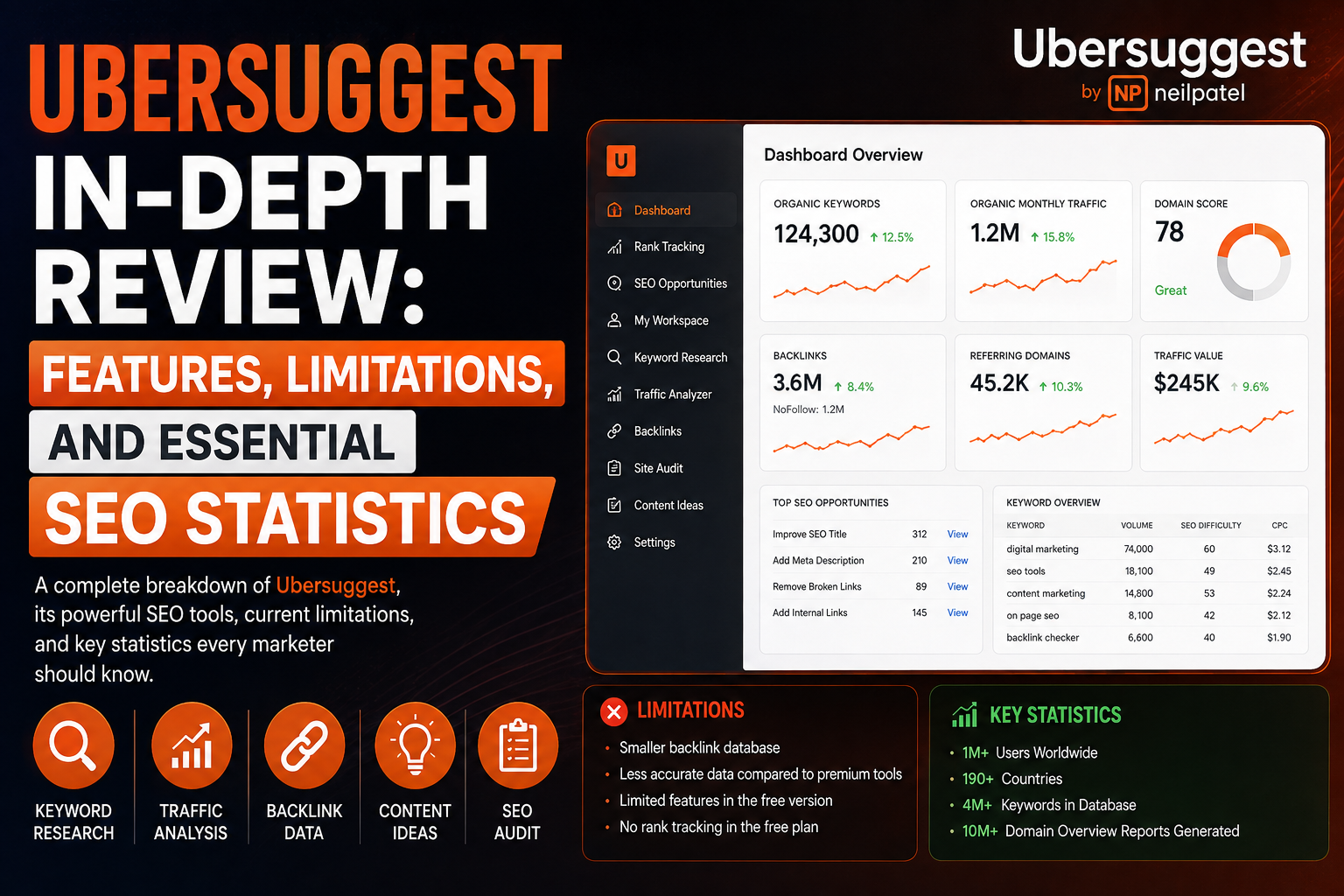
Ubersuggest: Features, Limitations, and Essential SEO Statistics Developed by digital marketing expert Neil Patel, Ubersuggest has transformed from a simple web scraper into a fully-fledged, highly accessible SEO platform. Known for its user-friendly interface and cost-effectiveness, it is heavily utilized by independent creators, small businesses, and freelancers. Whether you are drafting a new blog post on EKO24.NET or researching high-traffic video tags for a YouTube creator toolkit, Ubersuggest provides clear, actionable data without overwhelming the user. 1. Core Features of Ubersuggest Ubersuggest focuses on delivering the most critical SEO metrics in a clean, easy-to-digest format: Keyword Research & Suggestions: Generates hundreds of long-tail keyword ideas, complete with search volume, Cost-Per-Click (CPC), and keyword difficulty (SD) metrics. It also includes data for YouTube and image searches. Content Ideas: Analyzes top-performing content across the web for any given keyword, showing social shares and estimated organic traffic to help you brainstorm your next piece. Site Audit Tool: Crawls your website to identify critical technical errors, broken links, and site speed issues, providing step-by-step instructions on how to fix them. Backlink Data: Allows you to analyze your competitors' backlink profiles, helping you identify exactly who is linking to them so you can target similar opportunities. Ubersuggest Chrome Extension: A powerful, free browser extension that displays keyword data, search volume, and backlink metrics directly within Google search results. 2. Limitations and Drawbacks As a more budget-friendly tool, Ubersuggest does have a few limitations compared to enterprise-level software: Smaller Data Index: Its keyword database and live backlink index are noticeably smaller than industry giants like Ahrefs or Semrush, which means you might miss highly obscure or brand-new links. Slower Processing Speeds: During heavy audits or extensive competitor analysis, the platform can occasionally suffer from slower loading times and lag. Limited Advanced Features: For veteran SEO professionals managing massive enterprise websites, the lack of highly granular filtering and deep API integrations can be restrictive. 3. Key Statistics and Scale of Ubersuggest Despite being targeted at the more affordable end of the market, Ubersuggest boasts impressive numbers: Massive User Base: Ubersuggest processes over 500 million search queries per month for its global user base of marketers and content creators. Global Reach: The tool supports keyword data and localized search metrics for over 100 different countries and languages, making it highly versatile for international targeting. Cost-Effective Dominance: It remains one of the very few top-tier SEO platforms that still offers a highly popular "Lifetime Deal" (LTD), disrupting the standard monthly subscription model in the SaaS industry. Related guides: Moz Pro Analysis: Top Features, Weaknesses, and Essential SEO Metrics and Screaming Frog SEO Spider Overview: Features, Drawbacks & Important SEO Insights. You can also try the EKO24.NET Keyword Generator for a related creator workflow. Conclusion Ubersuggest is an outstanding tool for creators who need powerful SEO insights without the premium price tag. Its straightforward approach to keyword research and site auditing makes it an essential part of any content creator's workflow. For more insights on digital growth and optimization strategies, keep exploring the resources on EKO24.NET!

Read Article →
Moz Pro Review: Features, Weaknesses and SEO Metrics
SEO & Marketing

Moz Pro Review: Features, Weaknesses and SEO Metrics

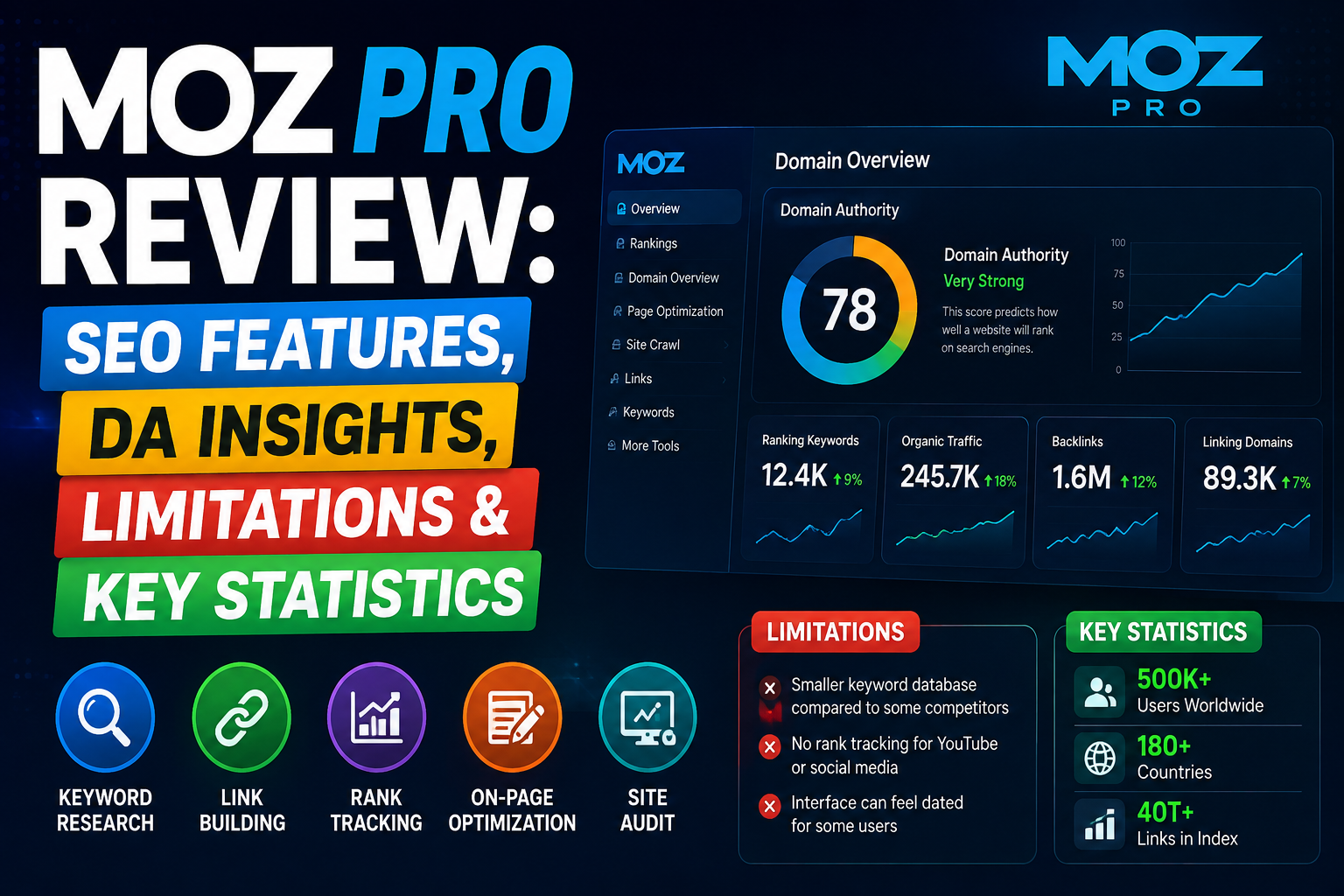
Moz Pro: Features, Limitations, and Essential SEO Statistics For over a decade, Moz Pro has been a cornerstone in the search engine optimization industry. Famous for pioneering the widely adopted Domain Authority (DA) metric, Moz focuses on making SEO accessible, transparent, and highly actionable. Whether you are building authority for a platform like EKO24.NET or optimizing client websites, Moz provides a trusted suite of tools to improve organic search visibility. 1. Core Features of Moz Pro Moz Pro simplifies complex search data into actionable insights through its core toolset: Link Explorer & Domain Authority (DA): Moz's flagship tool. It allows you to analyze any website's backlink profile, uncover link-building opportunities, and check the proprietary DA score. Keyword Explorer: Highly regarded for its accuracy, this tool provides search volume ranges, keyword difficulty scores, and organic Click-Through Rate (CTR) estimations to help you pick the best targets. Site Crawl & Auditing: A powerful technical crawler that flags harmful issues such as broken redirects, missing title tags, and crawler blocking, prioritizing them by impact. Rank Tracking: Monitor your website's performance across Google's local and national Search Engine Results Pages (SERPs) for both desktop and mobile. On-Page Optimization: Enter a keyword and a page URL, and Moz will provide a specific optimization score along with a checklist of recommendations to improve that page's ranking potential. 2. Limitations and Drawbacks While Moz is a fantastic platform, especially for beginners and mid-level marketers, it has a few limitations: Smaller Link Database: Compared to enterprise giants like Ahrefs or Semrush, Moz's live backlink index is slightly smaller, meaning it might take longer to discover newly acquired links. Less Frequent Updates: Data refreshing in the Rank Tracker and Link Explorer can sometimes feel slower than competitors that update in near real-time. Limited Competitor Ad Data: Moz focuses heavily on organic SEO. If you need deep insights into a competitor's Pay-Per-Click (PPC) and advertising strategies, Moz falls short compared to all-in-one platforms. 3. Key Statistics and Scale of Moz Moz's influence on the digital marketing landscape is massive. Consider these key statistics: The DA Standard: The Domain Authority (DA) metric invented by Moz is used by millions of marketers, agencies, and brands daily as the universal benchmark for website strength. Massive Data Index: The Moz Link Explorer processes and indexes over 43 trillion links and billions of high-quality URLs globally. Keyword Tracking: Moz tracks and analyzes over 1.25 billion keywords and millions of SERPs to provide accurate search volume metrics. Community & Education: The Moz Blog and their "Beginner's Guide to SEO" have educated over 3 million digital marketers worldwide, making it one of the most trusted educational resources on the internet. Related guides: Semrush Analysis: Features, Weaknesses, and Key Performance Data and Ahrefs Masterclass Review: Features, Drawbacks, and Essential Search Optimization Data. You can also try the EKO24.NET Keyword Generator for a related creator workflow. Conclusion Moz Pro remains one of the most reliable and user-friendly platforms in the SEO industry. Its unparalleled metrics and educational resources make it a fantastic choice for creators and webmasters focusing on long-term organic growth. For more expert tools, creator guides, and optimization strategies, keep exploring EKO24.NET!

Read Article →
Semrush Analysis: Features, Weaknesses, and Key Performance Data
SEO & Marketing

Semrush Analysis: Features, Weaknesses, and Key Performance Data

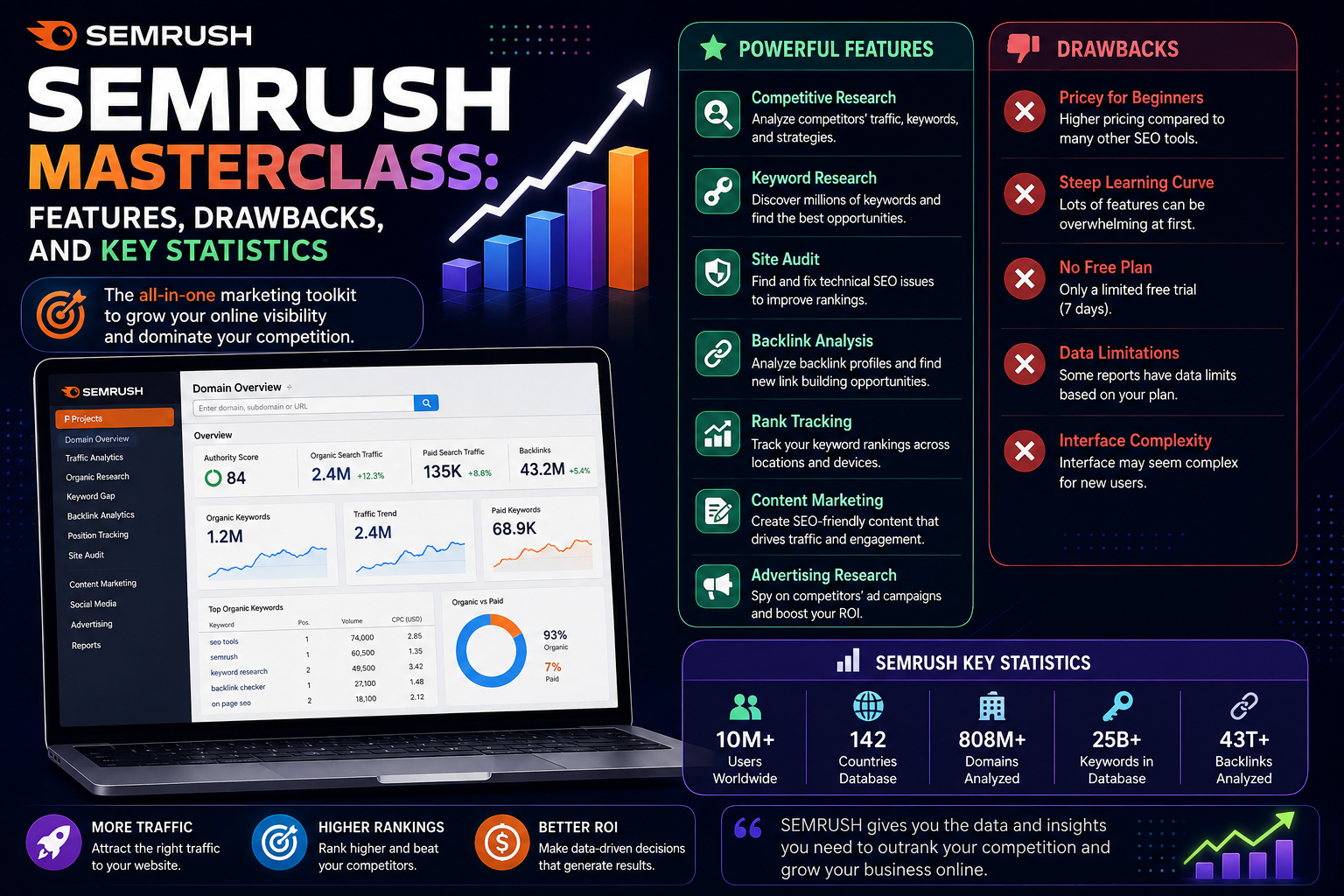
Semrush Masterclass: Features, Drawbacks, and Key Statistics When it comes to dominating search engines and analyzing competitors, Semrush is often considered the Swiss Army knife of digital marketing. Whether you are running a robust video-centric platform like EKO24.NET or optimizing YouTube channel metadata, Semrush offers data-driven insights that can drastically improve your organic reach. 1. Core Features of Semrush Semrush goes beyond basic keyword research, offering a complete ecosystem for creators and webmasters: Keyword Magic Tool: Discover millions of keyword ideas, long-tail phrases, and exact match questions to use in your video titles, descriptions, and tags. Domain Overview: Instantly check how your competitors are getting traffic and uncover their top-performing pages and video assets. Site Audit: Automatically scan your platform's architecture to find broken links, slow-loading media, and missing meta tags. Position Tracking: Monitor your daily rankings for target keywords on both desktop and mobile devices. 2. Limitations and Drawbacks While incredibly powerful, Semrush has a few hurdles you should be aware of before diving in: High Price Point: With premium plans starting at a significant monthly cost, it can be a heavy investment for solo creators or new startups operating on a tight budget. Overwhelming Interface: Because it packs over 50 different tools into one dashboard, it has a steep learning curve for beginners who just want basic stats. User Limits: Basic and mid-tier plans generally restrict access to a single user seat, making team collaboration expensive. 3. Key Statistics and Facts Understanding the scale of Semrush helps justify its reputation in the SEO industry: Massive Data: The platform boasts a database of over 25 billion keywords across more than 140 geographic databases. Backlink Power: Semrush crawls the web continuously to maintain an active index of over 43 trillion backlinks. Global Trust: It is used by over 10 million digital marketers and content creators worldwide, including approximately 30% of Fortune 500 companies. Related guides: Moz Pro Analysis: Top Features, Weaknesses, and Essential SEO Metrics and Ahrefs Masterclass Review: Features, Drawbacks, and Essential Search Optimization Data. You can also try the EKO24.NET Keyword Generator for a related creator workflow. Conclusion If you are serious about treating your content as a business, Semrush provides the exact metrics you need to succeed. Combine the insights from this tool with the creator strategies and resources right here on EKO24.NET to scale your audience faster than ever!

Read Article →
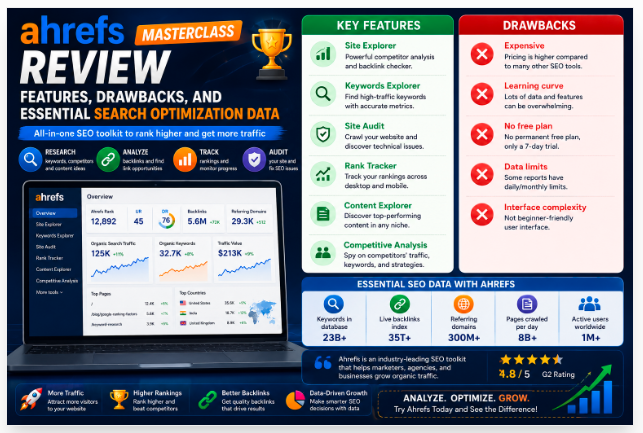
Ahrefs Review: Features, Drawbacks and SEO Data
SEO & Marketing

Ahrefs Review: Features, Drawbacks and SEO Data

Ahrefs: Features, Limitations, and Powerful SEO Statistics When it comes to advanced search engine optimization, backlink analysis, and competitor research, Ahrefs stands as an undisputed industry giant. Widely trusted by SEO professionals, digital marketers, and platform creators around the world, Ahrefs provides deep data insights to help websites rank higher on search engines. Whether you are optimizing a project like EKO24.NET or scaling an enterprise platform, understanding Ahrefs is crucial. 1. Core Features of Ahrefs Ahrefs is a powerhouse suite packed with modules designed for complete digital visibility: Site Explorer: The crown jewel of Ahrefs. It combines organic traffic research, paid search data, and the world's largest live backlink index into one interface. Keywords Explorer: Provides detailed search volumes, click-through rate (CTR) metrics, keyword difficulty scores, and historical search trends across multiple search engines. Site Audit: A comprehensive technical SEO crawler that scans your website for broken links, missing tags, speed issues, and technical errors. Rank Tracker: Monitors your website's desktop and mobile ranking positions for targeted keywords with daily or weekly updates. Content Explorer & Content Gap: Helps you discover top-performing content in your niche and find missing keyword opportunities by comparing your domain against competitors. 2. Limitations and Drawbacks Despite its immense power, Ahrefs has a few drawbacks that users should consider: High Pricing Tiers: Ahrefs is considered one of the more expensive SEO software suites on the market, making it less accessible for individual beginners or hobbyist bloggers. Credit-Based Limitations: Certain features, such as batch analysis and deep reporting, operate on strict credit limits that can run out quickly on standard plans. Steep Learning Curve: With petabytes of data and endless metrics (like Domain Rating, UR, and Ahrefs Rank), beginners may find the dashboard overwhelming at first. 3. Key Statistics and Scale of Ahrefs To grasp the massive technological infrastructure behind Ahrefs, look at these incredible global statistics: Massive Backlink Index: Ahrefs crawls over 5 million pages every minute and indexes nearly 500 billion pages, maintaining a live database of trillions of individual backlink records. Market Share: Ahrefs holds a leading position in the SEO and SEM software market, capturing roughly 14% to 22% of the global market share among active business domains. Advanced JavaScript Rendering: Ahrefs renders around 80 million pages per day to catch modern JavaScript-inserted links and content elements that basic HTML crawlers miss. Global Customer Base: The platform serves tens of thousands of active corporate and individual accounts worldwide, with the majority of its user base concentrated in the United States, Europe, and Asia. Related guides: Exploring Google Search Console: Functions, Drawbacks, and Essential Data Points and Moz Pro Analysis: Top Features, Weaknesses, and Essential SEO Metrics. You can also try the EKO24.NET Keyword Generator for a related creator workflow. Conclusion Ahrefs is an exceptional, data-rich ecosystem that can completely transform your organic growth strategy. While its pricing requires commitment, the depth of technical data it provides is unmatched. Explore more creator resources, guides, and tools right here on EKO24.NET!

Read Article →
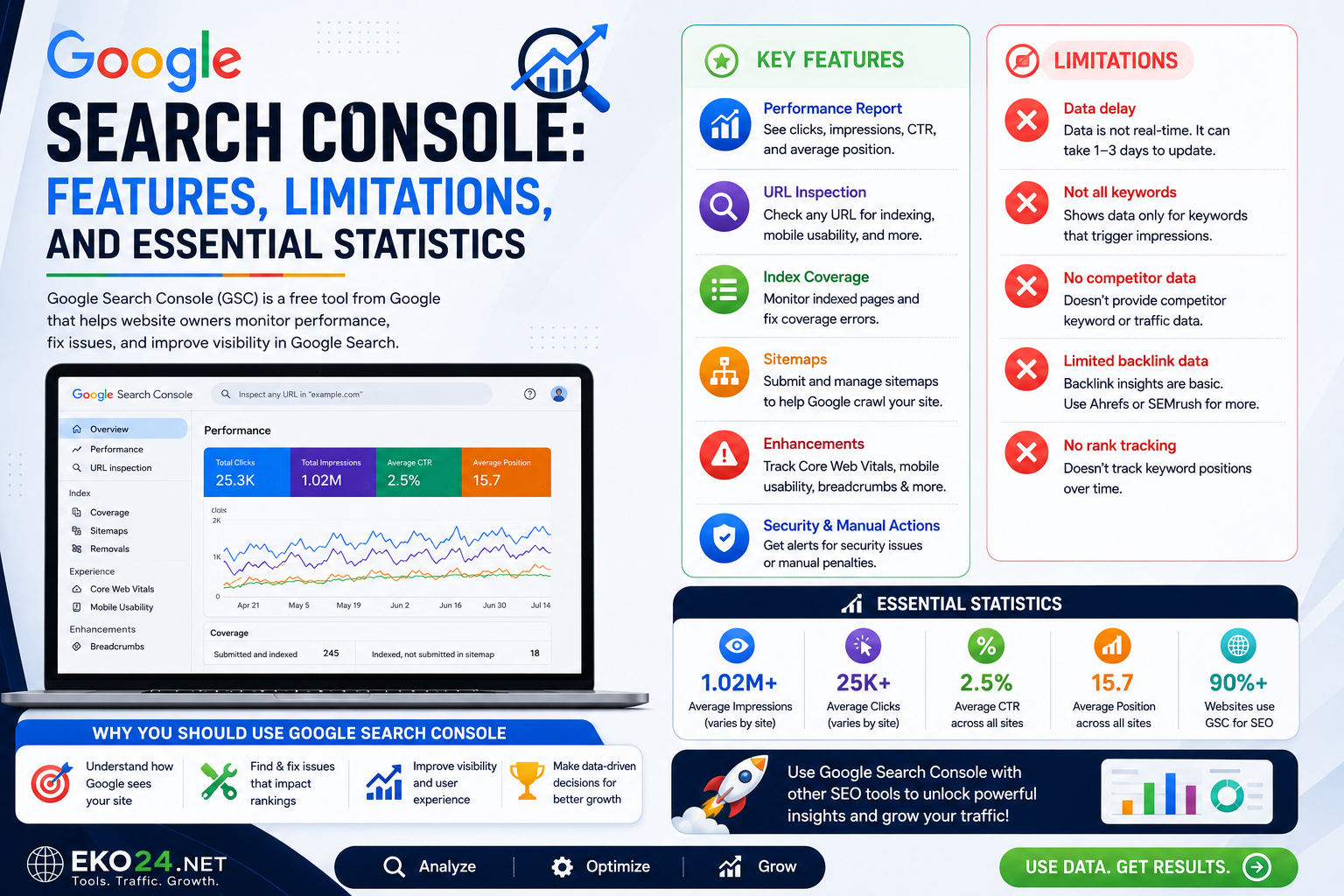
Google Search Console: Features, Limits and Key Data
SEO & Marketing

Google Search Console: Features, Limits and Key Data

Google Search Console: Features, Limitations, and Key Statistics Google Search Console (GSC) is an indispensable, free tool provided by Google that helps webmasters, digital marketers, and content creators monitor, maintain, and troubleshoot their site's presence in Google Search results. Whether you are scaling a platform like EKO24.NET or optimizing a blog, understanding GSC is essential for organic growth. 1. Key Features of Google Search Console Google Search Console offers a robust suite of tools designed to maximize your search engine optimization strategy: Performance Reports: Track clicks, impressions, Click-Through Rate (CTR), and average keyword ranking positions over time. URL Inspection Tool: Check how Google crawls, renders, and indexes specific pages on your website in real-time. Sitemaps & Indexing Management: Submit sitemaps and monitor which pages are indexed or blocked by errors. Core Web Vitals & Page Experience: Analyze site speed, mobile usability, and visual stability metrics that impact rankings. Backlink Analysis: See which external websites are linking to your domain and discover your top linked pages. 2. Limitations and Drawbacks Despite its incredible power, Google Search Console has a few notable limitations that digital marketers should keep in mind: 16-Month Data Retention: GSC only stores historical data for the previous 16 months, making long-term year-over-year trend analysis difficult without external exports or data warehouses. UI Data Caps: The user interface limits exports and viewable data rows to 1,000, while API calls are capped at 50,000 page-keyword pairs per day. Data Sampling and Thresholds: For privacy reasons, low-volume search queries are hidden or grouped under anonymous queries, meaning you won't see 100% of long-tail search terms. Reporting Delays: Data is typically delayed by 24 to 48 hours, so you cannot track real-time minute-by-minute visitor searches. 3. Key Statistics and Facts To understand the sheer scale and importance of Google Search Console, consider these eye-opening global statistics: Industry Adoption: Approximately 70% of companies and webmasters worldwide rely on Google Search Console to monitor online visibility. Global Usage: Google Search Console is utilized by over 20 million active websites globally. Search Dominance: Google controls over 90% of the global search engine market share across all devices, making GSC insights vital for digital success. Anonymous Queries: Roughly 46% to 47% of all search query reports in GSC comprise privacy-masked or anonymous queries. Related guides: Ahrefs Masterclass Review: Features, Drawbacks, and Essential Search Optimization Data and Google Keyword Planner Intelligence Report: Keyword Research, Constraints and Data Scale. You can also try the EKO24.NET Keyword Generator for a related creator workflow. Conclusion Google Search Console is the ultimate compass for any webmaster or content creator. By mastering its features while keeping its limitations in mind, you can fine-tune your technical SEO, fix indexing errors, and drive massive organic traffic. Explore more resources and creator tools on EKO24.NET to elevate your strategy today!

Read Article →
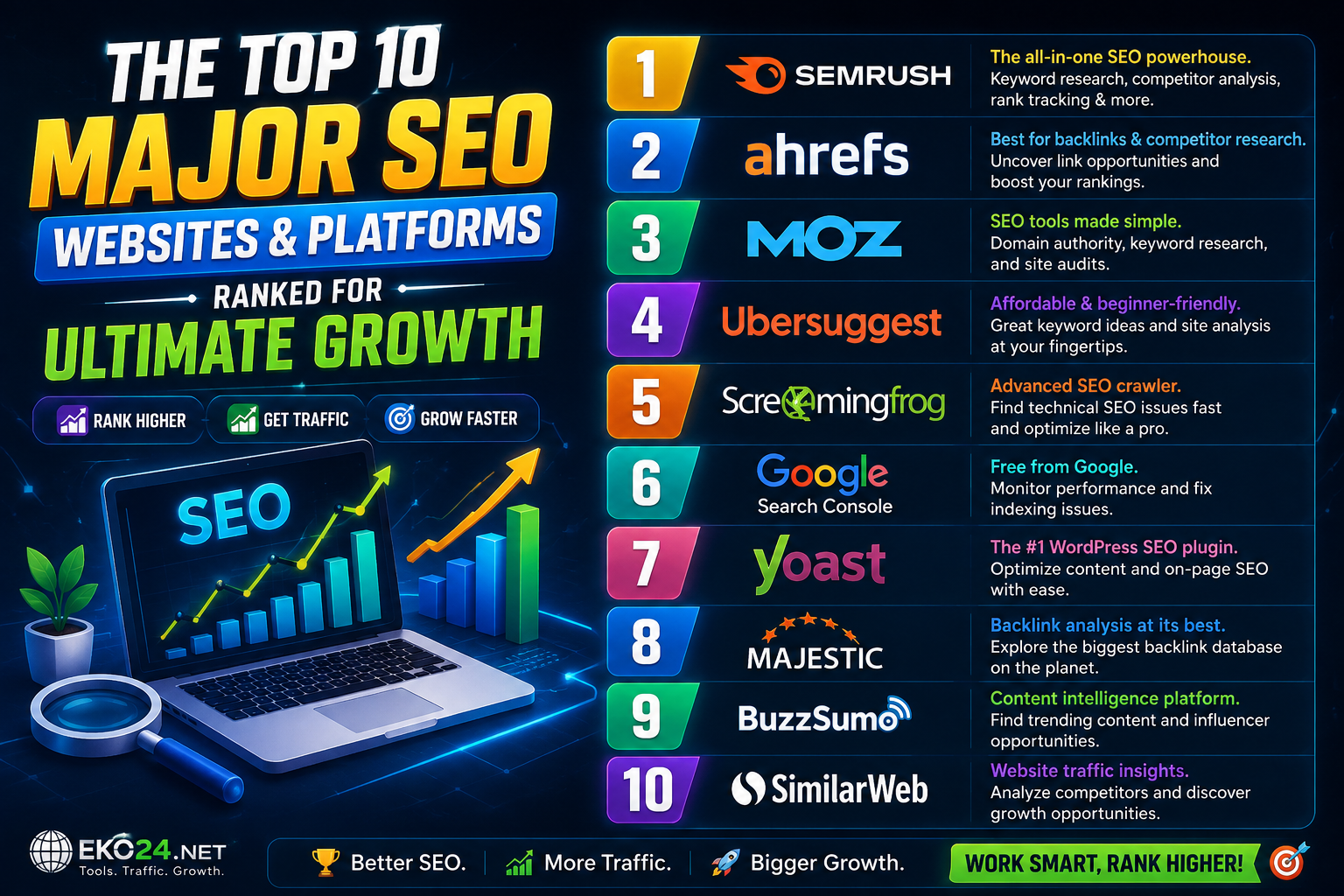
Top 10 SEO Websites and Platforms for Growth
SEO & Marketing

Top 10 SEO Websites and Platforms for Growth

Search Engine Optimization (SEO) is the ultimate engine for organic growth. Whether you are scaling a digital platform like EKO24.NET, managing a blog, or optimizing your content, using the right tools gives you a massive advantage. Here are the top 10 major SEO platforms ranked by power and utility, complete with their brand identifiers: 1. Google Search Console The absolute foundation. A free, official tool by Google that allows you to monitor your site's search performance, inspect indexing status, and see exactly which keywords bring users to your pages. 2. Ahrefs The industry giant for backlink analysis and deep keyword research. It is the preferred tool for top professionals to track competitor strategies and find hidden content gaps. 3. SEMrush An all-in-one digital marketing powerhouse. SEMrush goes beyond SEO to cover advertising, social media tracking, and comprehensive site health audits. 4. Moz Pro One of the most trusted names in the SEO industry. Famous for introducing the Domain Authority (DA) metric, Moz offers fantastic learning resources and robust tracking tools. 5. Ubersuggest Ideal for creators looking for budget-friendly, user-friendly keyword suggestions and search volume insights with a clean, straightforward interface. 6. Screaming Frog SEO Spider The ultimate technical desktop crawler. It scans your website to uncover broken links, missing meta tags, and technical errors that could harm your search engine rankings. 7. AnswerThePublic A brilliant visual tool that uncovers the exact questions people are searching for around any topic, making it incredible for generating catchy blog headings and video titles. 8. Surfer SEO A cutting-edge content optimization platform driven by data. It helps you structure and write articles optimized to rank high on search engine result pages. 9. Majestic SEO A specialized tool focusing heavily on backlink mapping and link-building quality through advanced metrics like Trust Flow and Citation Flow. 10. SpyFu A specialized platform built for spying on competitor keywords, organic search history, and paid advertising campaigns. Related guides: Neil Patel Digital Growth Guide: Strategies, Limitations and Platform Reach and The Best SEO Websites and Tools to Improve Your Rankings & YouTube Reach. You can also try the EKO24.NET Keyword Generator for a related creator workflow. Conclusion Combining these tools with a solid content strategy will give you a massive competitive advantage. Explore more resources and guides on EKO24.NET to elevate your digital workflow today!

Read Article →
How to Humanize AI Content for Scripts and Articles
SEO & Marketing

How to Humanize AI Content for Scripts and Articles

AI can help creators organize ideas and produce a first draft quickly, but an untouched draft can sound repetitive, generic, or disconnected from the audience. Humanizing AI-assisted content means editing it with real judgment: clearer language, specific examples, natural transitions, and a voice that fits the creator or website. The goal is not to disguise where a draft came from. The goal is to turn rough material into content that is accurate, useful, readable, and worth a person's time. Start With the Reader or Viewer Before editing, define who the content is for and what that person should understand or be able to do after reading or watching. Remove paragraphs that repeat the topic without helping the audience move forward. Replace Generic Claims With Specific Information Statements such as “this is very important” or “this powerful strategy can transform your results” add little value unless the content explains why. Replace vague claims with a concrete example, a practical step, a limitation, or evidence that supports the point. Rewrite the Opening in Your Own Voice Introductions often reveal generic writing fastest. Avoid long openings that merely announce the subject. Start with the problem, situation, question, or useful result the audience came for. Vary Sentence Length and Structure Natural writing does not require artificial slang or intentional mistakes. It benefits from rhythm. Mix concise statements with longer explanations, avoid repeating the same transition words, and combine sections that make the same point twice. Add Experience and Context Where You Actually Have It A useful human edit can include observations from your workflow, screenshots, test results, examples, or lessons from previous projects. Do not invent personal experience simply to make a draft sound authentic. Check Facts, Names and Current Details AI-assisted drafts can contain outdated or unsupported information. Verify product names, dates, statistics, platform rules, quotations, and technical instructions before publishing. Remove claims you cannot substantiate. Edit YouTube Scripts for Spoken Delivery A sentence that reads well on a page may sound awkward aloud. Read the script out loud and shorten phrases that are difficult to say naturally. Give the opening a clear promise, move quickly into the useful material, and use transitions that help viewers understand why the next section matters. If you are developing a YouTube topic, the EKO24.NET Keyword Generator can help you explore how people phrase related searches, while the SEO Checker can be used as a final metadata review. These tools should support the content rather than replace editorial judgment. Edit Articles for Scanning and Clarity Use descriptive headings, focused paragraphs, and lists only when they make information easier to scan. Remove unnecessary conclusions after every section. Internal links should lead readers to genuinely related resources rather than being inserted only for SEO. A Simple Human Editing Pass First pass: remove repetition and unsupported claims. Second pass: add specific examples, context, and useful detail. Third pass: simplify awkward wording and improve transitions. Final pass: verify facts, links, spelling, and formatting. Related guides: AnswerThePublic In-Depth Review: Core Capabilities, Constraints, and Content Strategy Metrics and Ahrefs Masterclass Review: Features, Drawbacks, and Essential Search Optimization Data. Final Takeaway Humanizing AI-assisted content is an editing process, not a trick. Use AI for appropriate parts of the workflow, then apply human judgment to accuracy, structure, examples, tone, and usefulness. The finished article or script should sound natural because it has been thoughtfully edited for real people.

Read Article →